Remote employee monitoring on autopilot
Get clarity and control over hybrid and remote teams with DeskTime’s automatic time tracking and remote employee monitoring tools.
Do these challenges sound familiar?
The most common productivity gaps, solved by DeskTime.
You don’t know if your team is focused and productive
When time and tasks aren’t tracked automatically, it’s easy for focus to drift and output to drop.
You can’t get clarity on projects and budgets
Manual or inconsistent reports can hide lost hours and reduce visibility into true team performance.
Planning and resource headaches
Poor planning leads to missed deadlines and overworked staff, making project delivery unpredictable.
Teams not performing at full potential
Without updates on your team’s work, it’s hard to know if projects are on track, slowing key decisions.
“There's no gray area with DeskTime. We can keep track of hours with utmost accuracy, follow payroll regulations in different countries, and track employee productivity.”
George Arkin, owner of Nexus Auto Transport
The all-in-one solution for remote and hybrid teams
DeskTime is designed to give team leads clarity, confidence, and the flexibility to manage smarter.
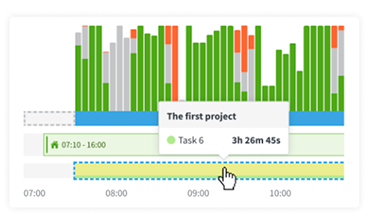
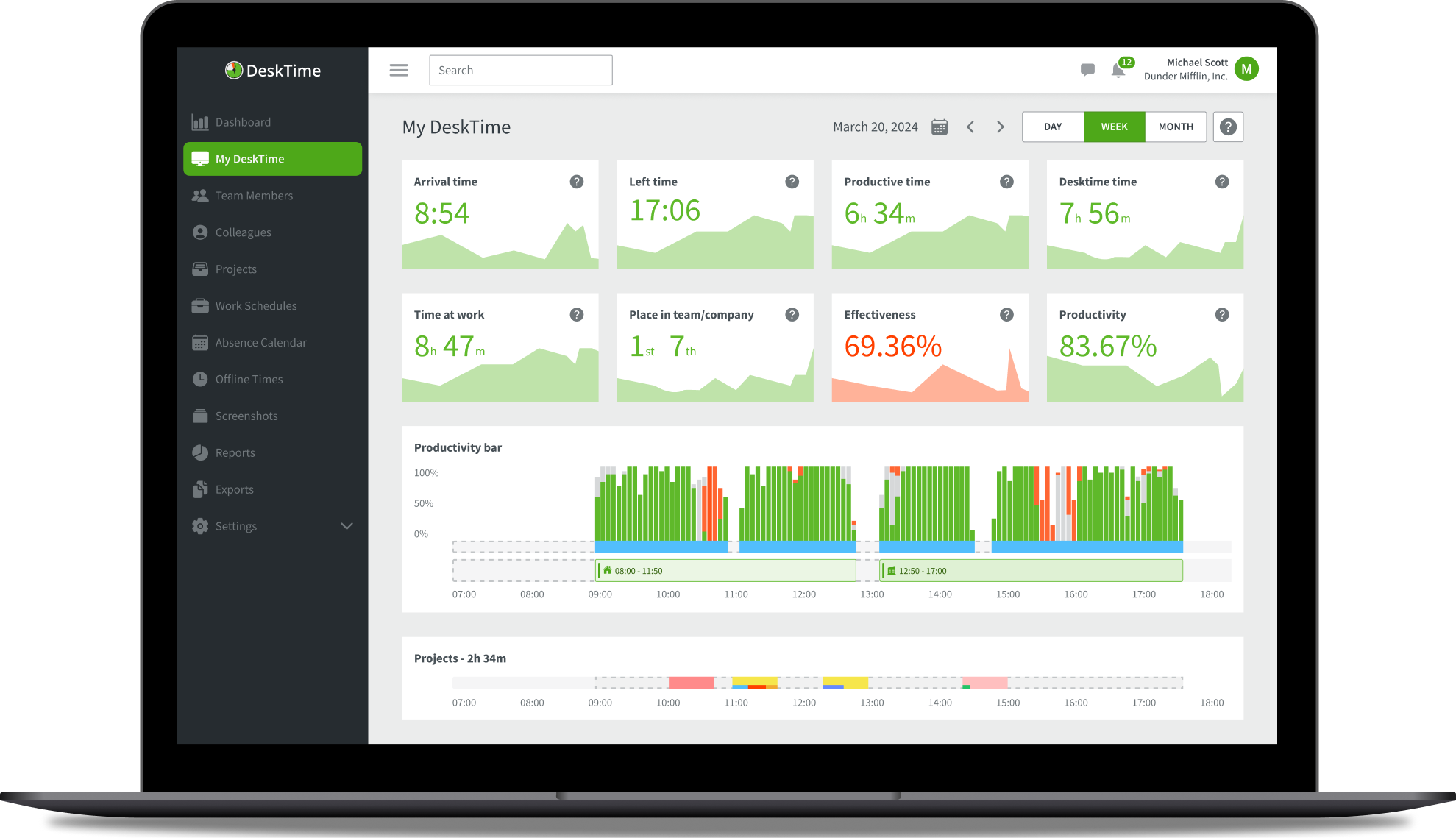
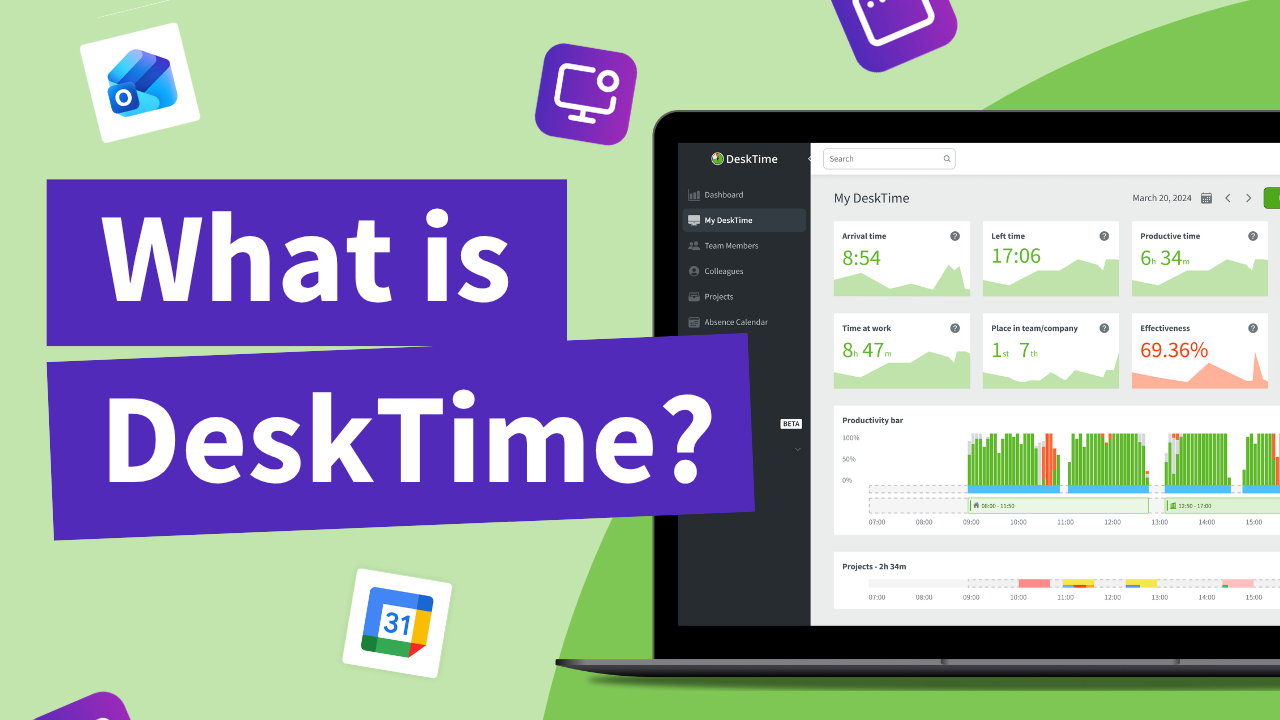
Real-time dashboard gives you an overview of every app, URL, and task your team is working on. No more guessing.
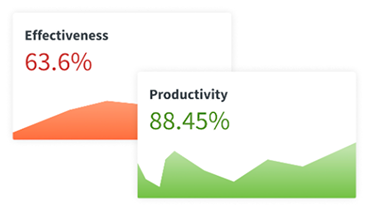
Productivity reports and transparent data empower your team to stay focused and self-manage their goals without extra oversight.
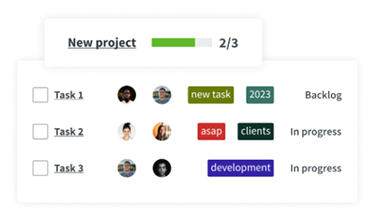
Automatically track website and document titles to understand how your remote team spends their time.

DeskTime integrations sync with your favorite apps so your remote team’s work is tracked automatically, giving you hassle-free visibility.
And on top of that…

Grid Leader Summer 2025
Employee Monitoring

High Performer Summer 2025
Enterprise Time Tracking

Summer 2025
Users Love Us

High Performer Summer 2025
Employee Scheduling EMEA

High Performer Summer 2025
Time & Attendance India
from 400 reviews

It’s the ultimate automatic productivity tracker
Get the clarity you need to manage your hybrid team. Our tracker works automatically in the background, giving you valuable insights so you can focus on leading, not logging.
Users trust us
Hours tracked
Productivity boost
“The most helpful aspect of using DeskTime has been their knowledgeable team. [Their] guidance has been invaluable in helping me navigate the system with confidence.”
Bill Kowalski, Business owner
How DeskTime works
As the pioneer of automatic time tracking, DeskTime is built to work right out of the box. Just install, add your team, and begin tracking productivity.


See how much time (and money) you could save with DeskTime
Enter your company's employee count, average hourly rate, and your industry to calculate your potential boost in productivity and annual return on investment with DeskTime.
Select your plan
Number of employees
Your company’s industry
Industry helps us estimate the productivity increase you will gain based on the experience of our clients.
Average hourly salary
To estimate the value of the time your team gains from improved productivity.
Annual return
$Potential increase in productivity
%Annual ROI of using DeskTime
%Get peace of mind with DeskTime
A time tracker that won’t interrupt your team’s workflow. Ever.
Forget manual entries and distractions. With DeskTime, time tracking runs on autopilot—zero effort needed.
Remote work data
Discover the types of data you can track and analyze with DeskTime’s remote staff monitoring software.
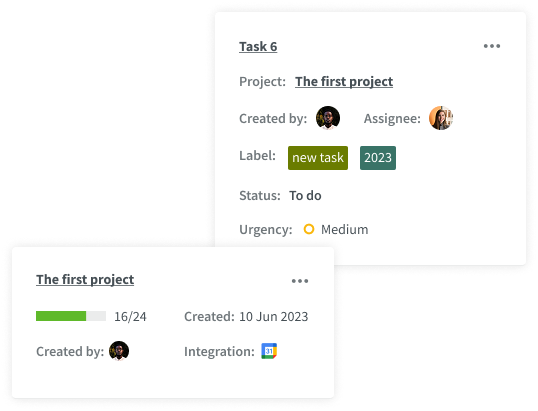
Active time tracking
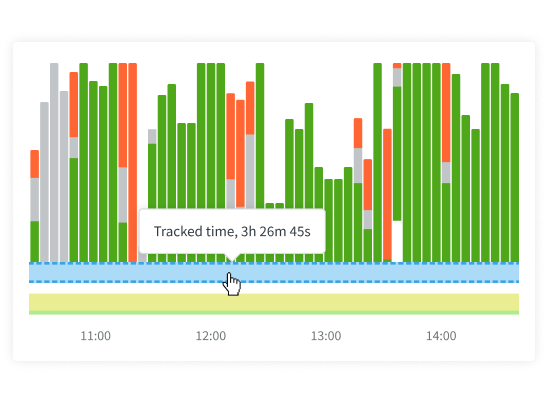
This shows the time a remote employee actively uses their keyboard and mouse. Active time allows you to understand an employee’s engagement and workload during work hours.
App and website usage
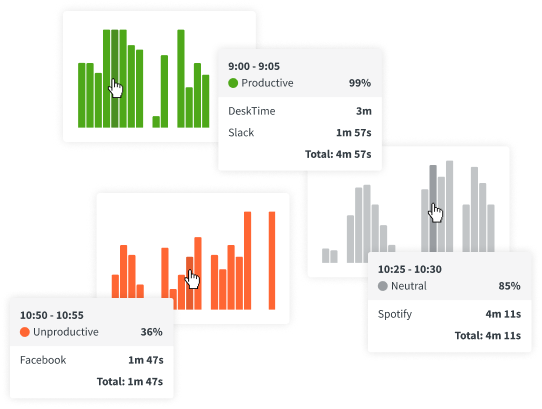
This tracks specific apps and websites a remote employee uses during work hours, giving you a sense of the tools and resources employees need for their tasks.
Productivity tracking
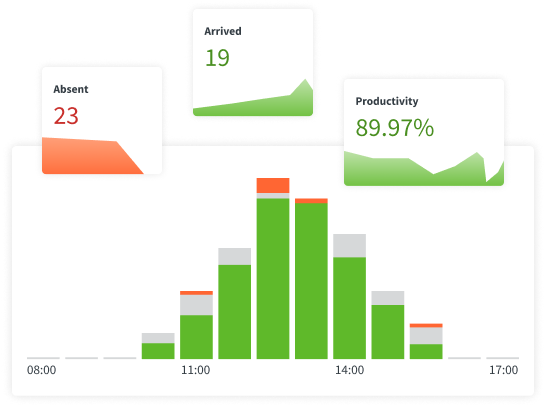
This allows employees or managers to categorize time spent on different tasks or projects, giving insights into time allocation and focus areas.
Attendance and availability
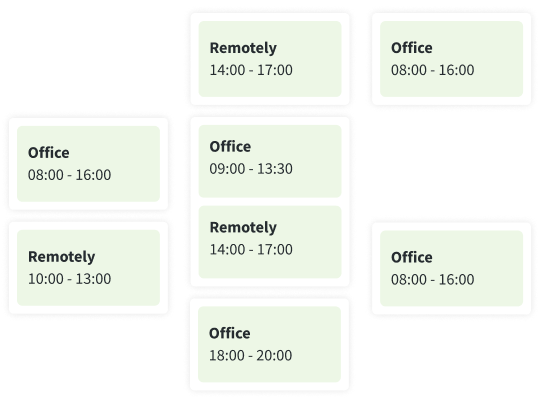
A remote work time tracker will allow you to keep track of your remote employees' shifts and absences in one place.
Project progress
Some tools allow tracking progress on specific projects or tasks, offering a view into output and workload management.
Explore more features
Highly rated and globally trusted





 4.5/5 avg.
(2000+ reviews)
4.5/5 avg.
(2000+ reviews)
Don’t take our word for it
Want to hear from our users? Discover their reviews on G2.

Marc Miquel
Senior User Researcher, Enterprise
"Desktime helps me stay productive and to limit time"
"I know that at the end of the week, I want not to exceed a certain number of hours, but I also set myself some productivity % goals (time focused on certain apps / total time). I have used it for more than 7 years."

Sreejith B.
Assistant Manager, Mid-Market
"Efficient time tracking and productivity insights with DeskTime"
"I am an IT admin as well as a project lead. My job is to monitor and manage my employees, who mainly work from home. With DeskTime, we can measure their productivity, monitor their worktime activity, and evaluate their performance based on their time efficiency."

Diego Carballo
CISO, Mid-Market
"Highly efficient tool"
It allows me to see where I spend my day, find opportunities to improve my productivity, and balance my work with necessary breaks. It’s a tool that gives me clarity without being intrusive. It also allows me to control my work team and measure their level of productivity.

Tarun S.
Head of Product, Small-Business
"Amazing choice for tracking performance of employees"
DeskTime provides valuable intelligence and support for managing our distributed teams. It offers easily digestible performance metrics for our remote employees. Their competitive pricing further solidified our decision.

Abhay Singh Rana
UI/UX Designer, Mid-Market
"Perfect activity tracking"
It helps our company's hybrid culture by tracking the productivity of every employee working from home and generating weekly reports to review everyone's performance accurately. The software also helps employees focus more on their tasks without being distracted by unproductive apps or sites.

Verified User
Computer Software, Mid-Market
"Efficient and user-friendly time tracking tool"
With its detailed reports and automatic time tracking, we can optimize workflows, improve project planning, and ensure accurate billing for client work. This has led to better productivity insights, more efficient time management, and enhanced team performance overall.

Natasha Sierra
Practice Manager, Mid-Market
"Has improved our staff's productivity"
DeskTime assists us in monitoring productivity, tracking time spent on tasks, and identifying workflow inefficiencies. It provides valuable information, which supports better team management and accountability.

Parminder Singh U.
CEO, Mid-Market
"Efficient time tracking and productivity enhancement with DeskTime"
With DeskTime’s automatic idle time and break detection features, we easily monitor the work-life balance within teams. It eliminates the need for manual reporting, leaving no room for error.
Verified User
Computer Software, Small-Business
"One of the best tools for remote teams management and instant reporting."
I really like that it has clock-in, clock-out, and holiday management. It's easy to use, and I implemented it very fast. The support that I was offered was great!
Need more info?
Check out our resources to learn how DeskTime can work for your team.
Book a 1:1 introduction call
Planning to onboard a large team of 20+ users?
Schedule a chat with our product expert to learn how DeskTime can be tailored to fit your needs and requirements.
Built to meet global standards
DeskTime complies with top-tier international data protection protocols, delivering a secure and seamless time tracking experience trusted by teams big and small worldwide.
ISO 27001 compliant
Our practices align with ISO 27001 and ISO 27701 standards, ensuring robust information and privacy management across our systems.
GDPR compliant
The services provided by DeskTime and the data generated using the application comply with the rules set by GDPR.
Privacy policy
Visit our Privacy Policy to learn what data we collect, how we use it, and how we protect your privacy.
Data encryption
All data that DeskTime users share with our servers is encrypted both in transit and at rest by default.
Two-factor authentication
Users can add an extra layer of security to their account by enabling two-factor authentication in their profile settings.
Backups and reliability
With a system uptime of 99.95%, DeskTime ensures maximum reliability through continuous, restorable backups.
Frequently asked questions about remote employee monitoring with DeskTime
Find everything you need to know about time tracking, productivity, and managing remote or hybrid teams with DeskTime’s remote employee monitoring software.
Detailed reports and insights also make it easy to set realistic goals, measure progress, and continuously improve performance. Over time, this leads to smarter work habits, better accountability, and a noticeable boost in overall productivity.
This gives you an insight into how much time is spent on different assignments. Whether you want to monitor individual contributions or overall project timelines, DeskTime gives you accurate, actionable data to manage resources efficiently.
Tools like DeskTime focus on productivity insights rather than intrusive surveillance, helping teams stay accountable while respecting privacy. Clear communication and consent are key to using these tools lawfully and ethically.
These integrations help automatically sync tasks, meetings, and events, making time tracking seamless and keeping your team’s productivity data up to date across all tools.
A time tracker that won’t interrupt your team’s workflow. Ever.
Forget manual entries and distractions. With DeskTime, time tracking runs on autopilot—zero effort needed.