🍪 Allow functional cookies?
We use Zendesk messaging software for easy communication with our clients. Zendesk uses cookies to interact with website visitors and provide chat history.
See our Privacy Policy for more info. You can change your cookie preferences at any time in our Cookie Settings.
Employee monitoring can sometimes be seen as controversial, but the results are hard to ignore. When companies track computer usage responsibly, many report productivity increases of up to 30% within the first month.
Most companies underestimate it. Use DeskTime’s ROI calculator to see what lost productivity costs you today and what improving it could save you annually.
Companies turn to employee monitoring when it becomes difficult to understand where time goes and why progress stalls, even on seemingly busy days.
Employee monitoring can give a clear sense of how long tasks truly take and help recognize effort that might go unnoticed while flagging unhealthy work patterns, such as regularly working excessive hours.
Before introducing employee monitoring software, it’s important to clarify your goals. Are you trying to understand where time is lost, improve planning, support remote work, or reduce reporting overhead? The right tool should address specific problems, not be introduced “just in case.”
If the main challenges are unclear workloads, missed deadlines, or lack of visibility, employee monitoring software can be a helpful solution. If the issue is motivation, communication, or unclear processes, those may need to be addressed first—with or without software.
Companies increasingly use employee monitoring to understand how work actually happens on a day-to-day basis.
Like any form of monitoring in the workplace, it comes with clear advantages as well as risks. Understanding both helps you make an informed decision and set realistic expectations.
Employee monitoring is most effective when it’s intentional and well-communicated. Clear boundaries, employee involvement, and a focus on meaningful insights help maximize the benefits of monitoring in the workplace while minimizing the downsides.
The goal should be better understanding and support for work, not overarching oversight and control.
Employee monitoring is used to understand computer activity and, in some cases, where work is done. Since work monitoring can take many forms, here are the ones most often used.
Time tracking software is often used to monitor computer and internet usage, recording which apps and websites are used during the workday and for how long. This makes it easier to track employee hours and see where work time goes.
Marketing and IT lead in employee computer monitoring, with web development and web design close behind.
Phone monitoring is most often used in call centers for quality control. By recording employee interactions with customers, managers can ensure service is delivered in line with company standards.
Call recordings are also a valuable training tool, allowing employees to review their own interactions and identify areas for improvement.
Companies monitor employee emails to support productivity, protect confidential data, and reduce security risks. It can also flag confidential information leaks and spot inappropriate behavior early, protecting both their business and the employees of the company.
Spreadsheet monitoring is one of the earliest, do-it-yourself approaches of employee monitoring. All data is entered manually, which gives full control but also increases the risk of errors and missed entries, so forgotten hours can go unnoticed.
Creating reports often requires extra work with formulas and pivot tables. As datasets grow, spreadsheets can become slow and harder to manage.
Time clocking refers to tracking when employees start and finish their workday using a time clock app or a similar system.
Some companies use electronic cards or key fobs that employees scan when entering or leaving the workplace. Others rely on time tracking software that automatically records the start of the workday when an employee logs in or turns on their computer.
Companies usually use GPS to track employees who spend most of their time "on the road". Classic examples are truck drivers, taxi drivers, visual brand merchandisers, and other professions that include driving a car for work purposes.
GPS tracking systems are typically installed in company vehicles. They help monitor routes, improve planning, and make sure vehicles are used for work purposes, unless personal use is allowed.
Once a decision to use employee monitoring is made, the next question is what these tools actually do. While features vary from tool to tool, most employee computer monitoring software includes a combination of the following features:
Employee monitoring software lets you be aware of what happens during work hours, but it doesn’t explain the “why”. Data should always be interpreted with context in mind and never used on its own to evaluate performance.
Ethical use starts with transparency first and foremost. Employees should know what is tracked, what isn’t, and how data will be used. Monitoring must stay focused on work-related activity and respect clear boundaries to avoid crossing into private life.
Clear policies and boundaries help prevent monitoring from drifting into surveillance.
Want to see the ins and outs of DeskTime before signing up?
Try out our free Demo account!
Discover DeskTime“What gets measured gets done” can come with baggage. Many employees worry about increased control or an invasion of privacy. That reaction usually comes from uncertainty, rather than the tool itself.
In reality, employee monitoring itself isn’t the issue. The lack of communication is and most employees are asking a very simple question: “What’s in it for me?”
Studies suggest that when employees understand what’s being measured and why, monitoring can have a positive effect. Knowing their work is assessed objectively can increase motivation and help people feel their effort is recognized.
That’s why, once you’re set on employee monitoring, you should be transparent about what is tracked, what isn’t, and how the data will be used. Avoid presenting it as a control mechanism. Instead, frame it as a way to create clarity, fairness, and better feedback.
We’ve compiled a list of the do’s and don'ts that make work monitoring easy to get right the first time
Letting employees know they’re being monitored sets the foundation for trust. Monitoring works best when people understand what’s being tracked, why it’s being tracked, and how the data will be used, with no surprises.
If the rules aren’t clear, people will interpret them differently. Messy data and time tracking can quickly become frustrating. Clear, simple expectations make it easier for everyone.
People work differently, and monitoring will reveal that. That’s why context matters. Use monitoring to understand long-term patterns and results, not reward constantly being “busy.”
Tracking time without acting on the insights defeats the point. If nothing changes when reports highlight recurring problems, employees lose faith in the process. Time tracking should lead to adjustments and improvements, not just more data.
Out-of-the-box setups rarely fit real workflows and need to be adapted to how your team actually works. Periodically review what’s being tracked and remove anything that no longer fits.
i) we recommend to review data once every six months!
Time tracking works best as a support tool to help work move forward, not add unnecessary pressure. Monitoring every minute signals a lack of trust and leads to lower morale and higher turnover.
Decide what actually warrants a conversation and what doesn’t. Not every dip in productivity needs intervention. Fluctuations can happen, and clear boundaries help monitoring from feeling intrusive.
Monitoring should be used only for work. Using data to access or act on personal matters, crosses ethical and legal boundaries.
A download-ready, step-by-step guide to choosing the right monitoring approach, team communication, all while keeping trust intact
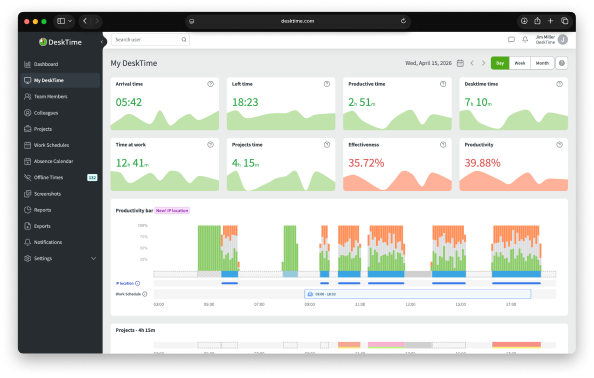
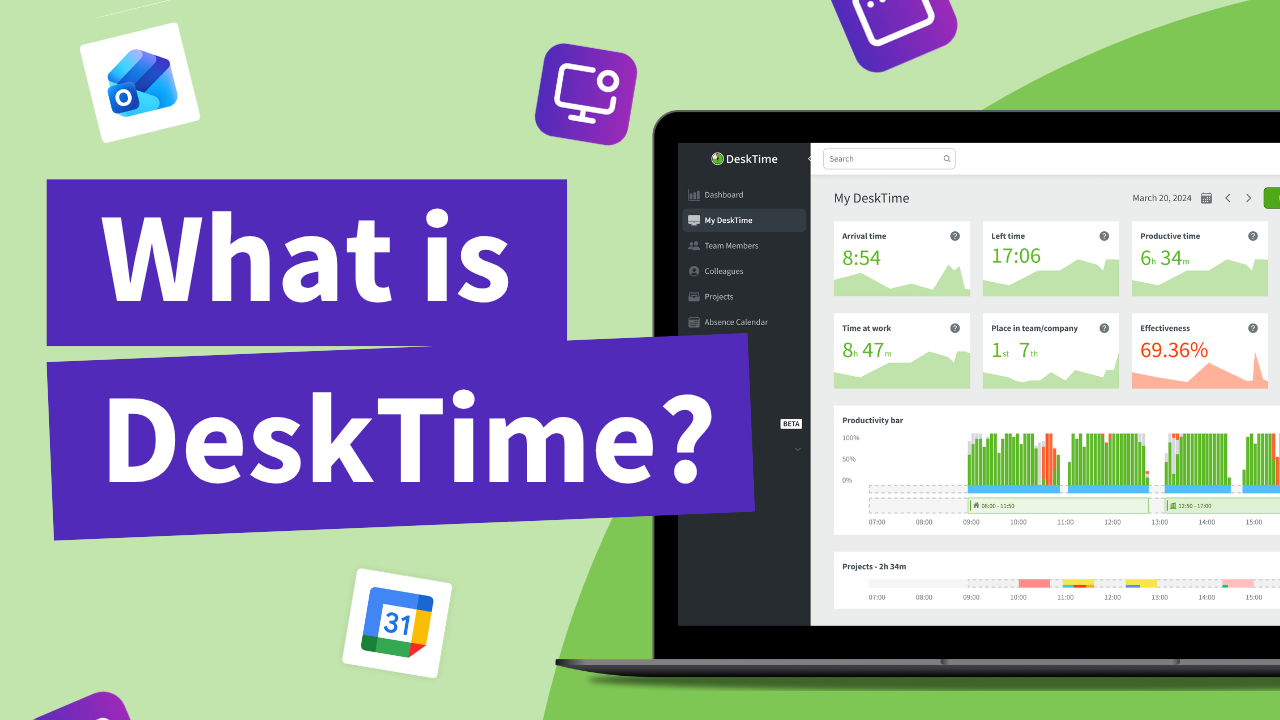
DeskTime is an automatic employee monitoring and time tracking tool that runs in the background during the workday. It tracks time spent on applications, websites, projects, and tasks, helping teams understand how work time is actually used without relying on manual input.
DeskTime focuses on long-term patterns and productivity trends rather than constant oversight. With configurable productivity insights and optional screenshots, it gives teams clear visibility while allowing monitoring to be adjusted to their actual needs.
Time Doctor helps managers keep a close eye on how time is spent and where productivity could improve. It’s built more for oversight than collaboration, making it a better fit for teams that prefer structure over flexibility. Time Doctor offers detailed “proof of work” through frequent screenshots and granular activity tracking, making it ideal for highly accountable environments.
Insightful is a workforce productivity management and time tracking tool for remote and hybrid teams. It offers productivity insights, insider threat detection and screen monitoring. It's well suited for teams that need basic help with remote team capacity planning and operational management. Insightful's complex setup may require potential customers to pay for deployment and onboarding support, which is only offered to enterprise clients. It's something to consider when deploying a larger remote or hybrid team.
Hubstaff is a time tracking and workforce management tool. It offers features like manual time tracking, GPS monitoring, activity levels, and project management integrations. Hubstaff also supports invoicing and payroll. While Hubstaff provides a broad set of features for time tracking and team management, its complexity and manual setup can be difficult to navigate. Hubstaff's features are best suited for businesses with field teams that require location tracking.
Toggl is a manual time tracking tool that relies on users to start and stop timers. It's best suited for smaller teams where hands-on tracking and fewer automation features aren't a drawback. It lacks built-in features like employee scheduling or payroll management—these require separate Toggl tools, which can quickly add up in cost and complexity, especially as your team or business grows.