Automatic time tracking with utmost precision
With DeskTime's automatic time tracker, you get precise work hours data at your fingertips – with no manual entry required. Improve your team's efficiency and save both time and money.
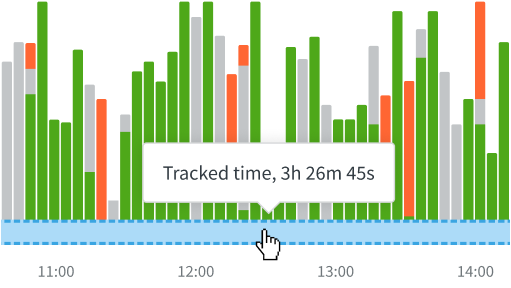
TL;DR: DeskTime runs in the background, tracking time based on device activity. It records app and website use, detects idle time and breaks, and classifies activity as Productive, Unproductive, or Neutral for detailed workday data.
How does automatic time tracking with DeskTime work?
This is how you can get the most accurate and comprehensive time tracking data.
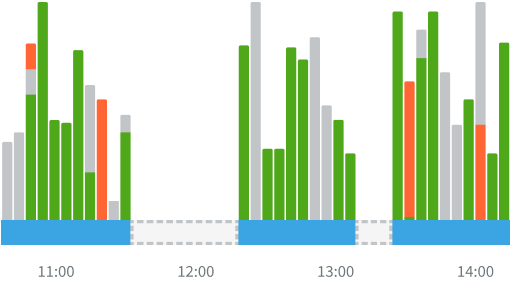
The app automatically starts/stops tracking time when you turn on/off the computer.
Time tracking stops if the computer's been idle for more than 3 minutes.
Take control of your and your team's time
Automatic time tracking gives you the most accurate picture of where your team's most valuable resource – their time – goes.
Say goodbye to these time management problems
Don’t take our word for it
Want to hear from our users? Discover their reviews on G2.
How DeskTime works
With DeskTime, you can see your employees' arrival and departure times, analyze their productivity, schedule shifts, oversee absences, maintain a healthy work-life balance, keep track of specific projects, and more.
Highly rated and globally trusted
Izpētiet vairāk funkciju
Frequently asked questions about time tracking features
Try free for 14 days. No credit card required.
Forget manual entries and distractions. With DeskTime, time tracking runs on autopilot—zero effort needed.