We use Zendesk messaging software for easy communication with our clients. Zendesk uses cookies to interact with website visitors and provide chat history.
See our Privacy Policy for more info. You can change your cookie preferences at any time in our Cookie Settings.
Productivity tracking apps track how much time is spent on tasks and monitor the device usage. While some productivity apps are designed for personal use and have become popular among people who want to become more organized individually, most productivity tracking apps listed here are intended for business use.
Of course, different productivity trackers will have different things they can do, and each will be suited for specific use cases (which is why we listed so many options here). But their main purpose remains the same — to track how employees are using their time during work hours and to reveal ways to improve productivity.
Types of productivity tracking apps
There are many ways to categorize all the available productivity tracking apps—their features, target audience, platforms they run on, pricing (paid vs. free productivity trackers). However, the most crucial difference is how they track time.
Most of them can be sorted into two types—manual and automatic (just like cars!). Each type has its pros and cons, so this will be the most important factor to consider when choosing a productivity tracking tool for your company.
Manual productivity tracker
Manual productivity trackers are like virtual stopwatches. Simply start time when you begin working, pause when you take a break, and stop the time log when you finish working.
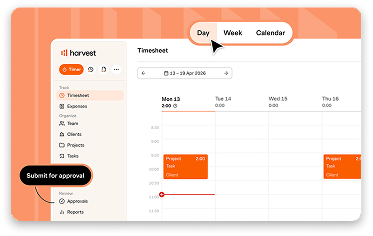
In their most rudimentary form, manual productivity trackers function as modern timesheets and show how many hours were spent at work, but more advanced time trackers like Harvest or TrackingTime also allow tracking time spent per task or project.
1
Start a time log
When you begin work, simply “punch in” time. Depending on the app, it might be just the start of the day or time spent working on a specific task or project.
2
End a time log
When you finish working, stop time tracking. If the tracker is separated into projects, start a different time log whenever you switch your active task.
3
Analyze your productivity
The productivity tracker will use the duration between start and stop times to show how many hours you were at work, and how much time was spent on each task.
Pros & cons of manual productivity trackers
At their core, manual productivity trackers are very simple and straightforward. That’s simultaneously their biggest benefit and drawback.
Quick onboarding
The time logging process is simple to explain, and most users are already familiar with the concept. Simply start the timer when you begin working, and then stop it when you finish.
Inconvenient to use
Some users may view the requirement to manually log time as an annoyance, especially when quickly switching between multiple small tasks.
Lower costs
Most entry-level or free productivity trackers are manual, since this type requires less technical complexity than an automatic tracker.
Less detailed insights
Manual productivity trackers will collect only the start and end times as reported by the user, with no data about what happened during that time.
Easy to deploy
Many of these solutions are accessible from web browsers without installing an app, which is important if you have a BYOD policy or work with freelancers.
Prone to inaccuracies
Tracking time accurately requires building a company-wide habit, and some may forget to log time, do it incorrectly, or in worst cases, simply lie.
Best manual productivity trackers
If you’re looking for a simple and efficient manual productivity tracker, check these out:
Harvest
Robust time tracker that is designed for enterprise use. Includes powerful tools for accounting, cost estimation, and invoicing.
Toggl Track
Simple and easy-to-use time tracker for teams and businesses. Includes a device activity tracker that allows users to easily create time logs.
Solidtime
Free open-source time tracker with a simple, intuitive user interface. You can use it locally, self-host it, or subscribe to their cloud plan.
Automatic productivity tracker
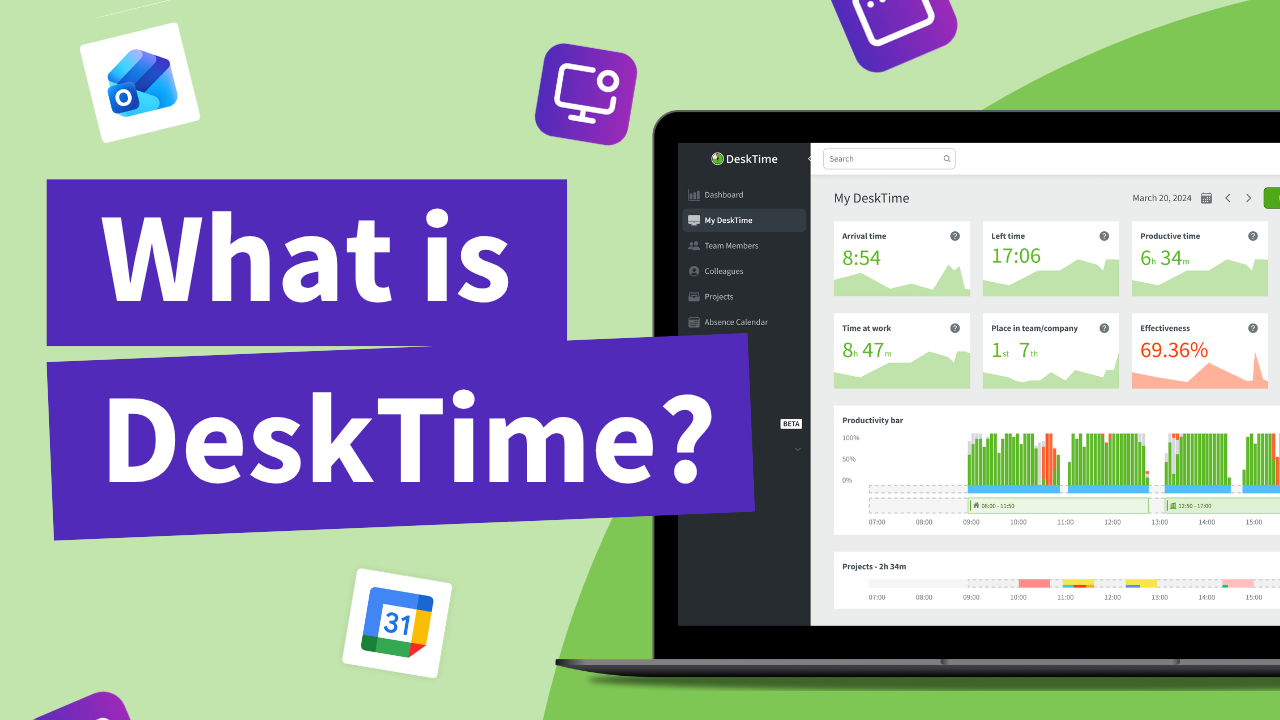
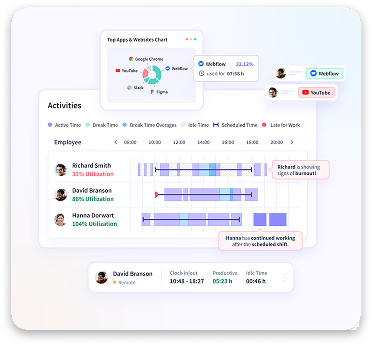
Automatic productivity trackers (like DeskTime) run as a background process that monitors the active apps and websites on the device. This way, you can get more detailed insights beyond the start and stop times—you can also see what was done during that time.
Time tracking will be started automatically when there’s activity on the device, and paused when it’s idle. This tracker type produces more granular insights, showing how much time exactly was spent on productive, neutral, or unproductive apps and websites.
1
Install the productivity tracker
Automatic productivity trackers work in the background and they need to be installed on the device to track the active processes and visited websites.
2
Do your work as usual
No need to log time manually—this tracker type will monitor the device usage automatically. To pause or stop time tracking, simply lock the device.
3
See detailed productivity insights
At the end of the work day, you will see not just the time spent at work, but also how much of it was used productively and what apps or websites were active.
Pros & cons of automatic productivity trackers
Automatic productivity tracking apps are more advanced than manual trackers. That is a benefit for some use cases, but a drawback for others.
Zero friction
No need to train a habit of correctly logging time for everything you do; the tracker will do it automatically, allowing users to simply focus on their work.
Requires installation
This type of tracker needs admin level access to monitor active processes and URLs; an important factor if you have a BYOD policy or work with freelancers.
Higher accuracy
Time logs automatically stop during inactivity, and they show unproductive time, allowing more accurate insights about the actual resources spent on tasks.
Potential pushback
You need to be very clear with your team about what will be tracked and how it will help the company and employees; otherwise they may feel micro-managed.
Better insights
Automatic productivity trackers show not just the time spent at work and on specific tasks, but also productivity levels and trends over time.
Best automatic productivity trackers
Here are the best automatic productivity trackers if you are looking to improve your efficiency:
DeskTime
Tracks device usage to log time and measure productivity with zero input required from the user.
Rize
Automatic productivity tracker with an eye-catching and intuitive interface, powerful AI analytics features, and billable hour separation per client.
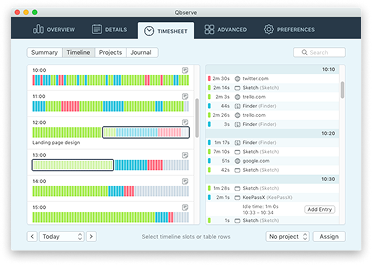
Qbserve
Simple and powerful Mac app for personal use that tracks open apps and websites. Works locally and requires a one-time payment.
A time tracker that won’t interrupt your team’s workflow. Ever.
Forget manual entries and distractions. With DeskTime, time tracking runs on autopilot—zero effort needed.
Each productivity tracker on this list is different, but here are the main features you should look for when choosing a solution for your company.
Time tracking
Tracks how the employee uses their time during work: total time at work, time at the desk, time spent per each task, breaks, etc.
Activity monitoring
Tracks the active apps and websites on the device to measure productivity and also ensure that company devices are used for work.
Productivity tracking
Measures time spent on productive apps and websites, and time spent idling or unproductively (i.e. social media) to gain insights about employee productivity.
Team management
Allows managers to see the work schedule of their team, plan vacations or sick days, and monitor productivity trends to identify issues early.
Location tracking
Shows if the logged time was recorded on-site or remotely. Some trackers use full GPS tracking, others simply log IP addresses.
Screenshots
If enabled, takes a screenshot of the device (periodically or when triggered by certain activities) as proof of work or to ensure compliance with company policy.
Benefits of productivity tracking software for managers
Written by:Elvis ĀbeltiņšChief Marketing Officer DeskTime
Here’s how productivity tracking software can improve the efficiency of the entire team.
Detailed performance insights
With productivity trackers, managers can get detailed insights about the performance of each team member. If someone is struggling with their deadlines and KPIs, this data can reveal the reasons: overwork, workplace distractions, symptoms of burnout.
This will allow managers to plan their schedule and delegate tasks to team members better, and address potential productivity issues earlier. Conversely, high performers can easily be identified and rewarded.
Better teamwork
The best productivity trackers can also show insights about the entire team, all in one place. If you notice worrying trends in not just one employee’s performance, but the entire team’s, it could reveal potential issues that a manager can swiftly address before they become a larger problem.
Furthermore, productivity trackers can also be used to manage employee shifts, schedule vacations and sick leaves, and see who’s available and at what times, making it easier to plan meetings or 1:1s. This is especially important for hybrid teams that work both on-site and remotely, and global teams with employees at different time zones.
A culture of trust & accountability
Appearances can be deceiving: someone may act busy with performative meetings and overtime, but produce less work than someone who just quietly types with their headphones on. Productivity trackers set fair and equitable benchmarks for everyone, allowing them to focus on work, instead of merely acting busy.
When it’s time for a performance review, having accurate productivity data will allow you to focus on specific areas of improvement for each employee. It will also foster a culture where employees can freely manage their own schedule and take breaks when needed, as long as their personal targets are met.
Benefits of productivity tracking software for employees
Written by:Elvijs JaunzemsContent marketing specialist DeskTime
Not just a management tool. Productivity tracking software can also be a valuable resource for employees.
Higher personal productivity
When you spend an entire day feeling like you are working hard, but the tasks just don't seem to get done, it feels terrible and unrewarding. With a productivity tracker, you can take a look at what you did during the work day, and find ways to make your workflow more efficient. Identify busywork that could be automated, and plan your day to prioritize what matters most.
It will also reveal distractions that take away your focus. If you want to become more productive, but the tracker reveals that you spend too much time browsing Facebook or TikTok (without even noticing it), you can address it before it becomes a larger issue that affects the entire team.
Less micromanagement
Some employees may view productivity tracking software as “anti-slacker spyware” that’s constantly peeking over their shoulder. However, we found out from our own experience and our client stories that tools like DeskTime actually enable a more relaxed and trusting work environment.
Instead of constantly worrying about what their employees are doing with their time, managers can place their trust in the team and afford them more flexibility. No need to micromanage—as long as you meet your deadlines and your productivity stats are in the green, you can freely organize your work in a way that best suits you.
Fairness & equity
One of the leading causes of burnout is the perception of unfairness and preferential treatment. If you are working hard, but suspect that someone else is slacking, you may lose motivation to keep on giving your best. However, with a tool that tracks everyone’s productivity equally, you get assurance that everyone on the team is pulling their own weight.
Furthermore, each employee is unique. Someone needs regular breaks and chats with colleagues to maintain peak performance. Others want to sit quietly at their desk and focus without any distractions. All styles of productivity can be equally valid when they have a unified benchmark, allowing for a more inclusive workplace.
Security of productivity tracking software
Written by:Aleksandrs ZariņšTechnology lead DeskTime
Data security is a top priority when considering any business tool, but it’s especially important for productivity tracking software. After all, you are installing a program with admin-level permissions on your company devices that has access to the active processes and browser history, and in some cases even takes screenshots. You want to make sure that it can be trusted with such access and that it won’t be the weak link in your security architecture.
With so many productivity tracking software solutions available, how can you quickly make sure that it meets your security requirements? After all, you don't have time to call each company and ask about their product’s security. That’s why we have listed the most common pointers that indicate that the productivity tracking software takes security seriously.
Independent certification
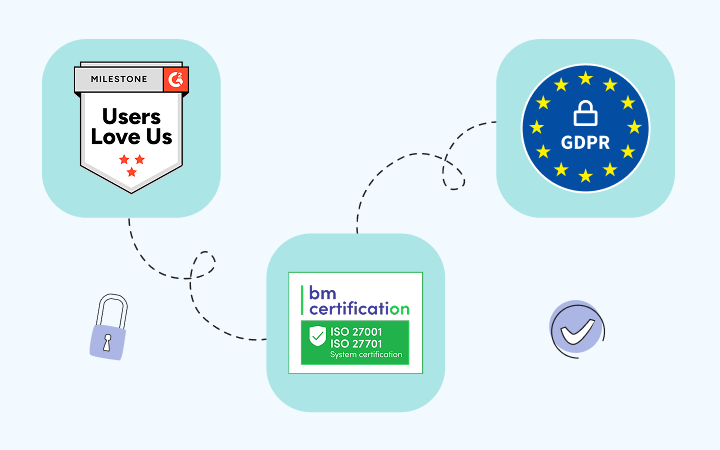
Trusted third-party certification that verifies compliance to security standards, such as ISO 27001 and ISO 27701.
Multi-factor authentication
Requires 2FA codes or other forms of login verification to prevent unauthorized access if an employee's username and password are compromised.
Data encryption
Ensures that data is not readable by third parties in transit between local machine and cloud storage, and is stored securely.
Uptime & backups
Has an uptime of 99.9% or higher to ensure that work isn't disrupted by downtime, and performs continuous backups to prevent data loss.
Access governance
Provides permission control on a per-role and per-user basis to limit access to sensitive data.
Cloud security
Uses trusted cloud partners (such as AWS and CloudFlare) to ensure secure data storage and protection against attacks.
Productivity trackers & privacy
Written by:Ilze SkrulleIT project manager DeskTime
Another crucial factor to consider when choosing productivity tracking software is privacy. How do you walk the fine line between gathering valuable data about employee productivity and being too invasive or encountering privacy issues? It’s tricky, and, what’s more, the tracker’s privacy will affect you in multiple ways.
Employee privacy
Even when using company-issued devices during work time, everyone has a reasonable expectation of privacy. How do you make sure that the productivity tracking software keeps sensitive information and personal conversations private? How do you track productivity statistics without creating an overwhelming feeling of surveillance within your team?
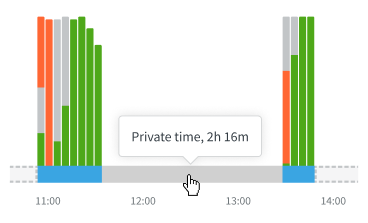
That’s why it’s important to choose a tool that includes various privacy-oriented features. One example of such a feature is Private Time in DeskTime, which users can enable to temporarily pause all activity monitoring. Look for features like these if you want to ensure privacy. If the user knows exactly when their activity is being tracked and when it is not, it will create a more transparent work relationship.
Corporate privacy
We already discussed data security in an earlier section, but secure data handling and storage is crucial from the privacy point of view as well. A productivity tracker, depending on how it’s set up, may gather active process names (which may contain document names), accessed URLs, and, if enabled, location data or IPs and even device screenshots.
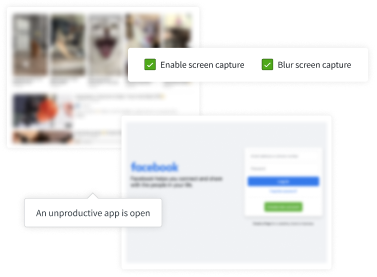
To ensure that your private and sensitive data is handled properly, you need to ensure that your productivity tracker of choice can be configured in accordance with your internal security guidelines—fully control what is tracked and how, and who can access that data. Furthermore, if you decide to enable screenshots, consider using features like DeskTime’s screenshot blurring, so you can get general insights about device usage without the risk of capturing sensitive data.
Privacy laws and regulations
Before implementing a productivity tracker app in your organization, make sure that you do it in a way that complies with the privacy laws of the region in which you operate. Failure to comply with these laws puts you at risk of litigation, which is why it’s important to choose a tool that is compliant with your regional privacy laws.
Let’s take our DeskTime as an example. It is fully compliant with GDPR of the European Union, which is one of the most comprehensive data protection legislations in the world. To achieve that, we developed it in a way that meets all the privacy and data security requirements, and included privacy-focused features like Private Time, screenshot blurring, data export and deletion (to meet right-to-be-forgotten), and others.
Of course, privacy legislation may differ based on your region. Not all features included in these trackers may be allowed in your country (such as screenshots or IP logging), so use the configuration options to set them up in a way that is compliant with your local laws. Furthermore, be transparent with your employees about what data is being tracked, when, and for what purpose.
Productivity tracking software best practices
Written by Artis Rozentāls, Chief Executive Officer, DeskTime
What’s the difference between a productivity tracker that benefits the entire team, and a surveillance tool that is resented by everyone? Implementation.
Here are some tips from our own experience and our client stories that will help get your entire team onboard with the productivity tracking tool and get the most value out of it.
Track responsibly
The best productivity trackers will offer very granular configuration options, allowing you to pick and choose exactly what data is being collected. However, just because an option is available doesn't mean that you have to use it. You will have to find the perfect balance that provides detailed insights about your team without feeling too invasive.
When deciding what tracking features to enable, ask yourself—how will this data help your goals? Ideally, you'd want to minimize data as much as possible by tracking only what is relevant to your goals, and use features like screenshots only when absolutely necessary.
If you track too much data without a valid reason, employees may start feeling like they are under constant surveillance and are not trusted by the higher-ups, which may cause stress and burnout.
Set reasonable goals
Truth is, no one can work a full 9-5 shift without any breaks. It's unhealthy, and it's impossible to maintain undivided focus for eight hours straight. That's where productivity tracking software comes in—you can track the total time at work, time at the computer, and productive time separately. This way, employees can easily plan their day in a way that allows them to take breaks when needed with the knowledge that it is okay to do that.
So, instead of setting everyone's target to 8 hours at work, of which 100% must be spent productively (impossible!), choose values that strike the perfect balance between productivity and employee wellbeing.
For example, if you set the 8 hour workday like usual, but define a 75% productivity target, it will allow employees to focus 6 hours on productive work with ample time for breaks, lunch, and socializing with their colleagues. This will increase well-being and reduce risk of burnout, while also ensuring that the time that they do spend on tasks will be much more focused and productive.
Lead by example
If you want your team to believe that the productivity tracking app is a tool that will help everyone become more productive and efficient, there is no better way to prove that than using it yourself. If everyone (managers and executives included) starts tracking their productivity and gaining meaningful insights that help them improve their work, the value will become apparent and it will become much easier to get the entire team onboard.
In addition, it will ease any anxieties that employees may have about it being applied selectively. Show that it's a tool that is used by everyone, not a punitive measure for specific employees. If everyone is tracking their time, it means that the benchmarks are applied fairly and equally, making it a more transparent and equitable workplace. Managers can go even further and share tips from personal experience that helped them improve their productivity.
Communicate clearly
A simple email to everyone that says: “Effective immediately, all our PCs will be equipped with productivity tracking software” is going to be a tough sell. There will be rumors and there will be anxiety—from their perspective, it might as well be an indirect statement that the management thinks they are slackers and they must be tracked.
However, your goal is not to micromanage your team; you want to increase productivity and find ways to spend time more wisely. As we discussed earlier, productivity trackers bring valuable benefits to everyone. Candid and honest communication will go a long way in establishing trust and transparency. So let your team know the following:
What will be tracked and why (i.e. “we will log your time at work and the active apps on work PCs”)
What will not be tracked (i.e. “the tracking software sees only app and website names, not their content; and you can activate features like Private time to pause all tracking”)
How will you use this data (i.e. “we want to identify ways to spend time more productively, and see what’s going on if there are missed deadlines”)
How will it benefit the employees (i.e. “you can plan your shift flexibly in any way that allows you to meet your targets”)
What are the targets (i.e. “we expect that everyone starts their work until XX:XX and is active for x hours, during which time x% should be spent productively”)
What are the consequences for not meeting targets (i.e. “you will not be immediately fired if you fail to meet targets; we will simply start a discussion if we notice a trend”)
How to track time correctly (i.e. “connect your Calendar, Jira or other services to automatically add projects and meetings, and add time manually for time spent away from keyboard”)
Best productivity tracking software
If you are looking to adopt productivity tracking software within your organization, but feel overwhelmed by the sheer number of options available, look no further. We have listed the best productivity tracking apps available. We will highlight their standout features and list their pros and cons so you can choose the best solution for your use case.
How we selected the best productivity tracking software
What’s the best solution for you will depend on your needs and use case. However, certain factors are universal, and all of the best productivity trackers will share the following traits:
Rich features
Has multiple features that increase the value gained from the tool. Some examples: integrations, workforce management, geolocation, invoicing, etc.
Easy to use
For managers, makes it easy to explore productivity insights; for employees, allows easy time logging with minimal friction.
Works with other tools
Has an API or connections that allow integration of other business tools like calendars, project management boards or version control systems.
Secure
Meets all data security criteria as outlined in the Security of productivity tracking software section.
Private
Makes it possible to comply with GDPR and other data protection laws, and provides privacy protection for employee data.
Cost-effective and scalable
The price is reasonable for the value it provides, and is easy to scale across the company.
DeskTime
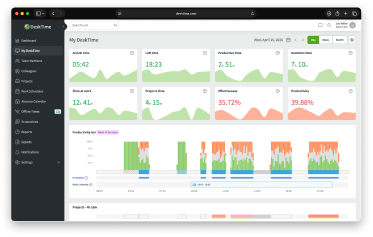
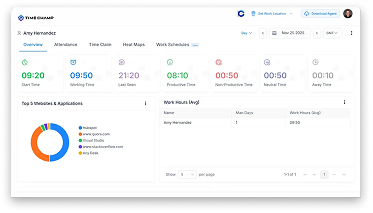
DeskTime is an automatic productivity tracking software that monitors the device usage—total usage time, and active apps or websites—to provide detailed insights about the user’s productivity. DeskTime also can be used to manage employee shifts—see their start and end times, schedule vacations and sick leaves, and plan on-site or remote work.
Type:
Automatic productivity tracker
Best for:
Small & medium businesses, especially hybrid and remote teams
Pricing:
starting from $6.42/mo per user; trial available (14 days)
Main features of DeskTime
Automatic productivity tracking
DeskTime monitors device usage to produce insights about most used apps, time spent in them, and overall productivity stats for the day. Users can also enter time manually.
Customization
You can apply different settings for each team or employee, integrate DeskTime with tools like Jira or Google Calendar, and use optional features like screenshots or IP tracking.
Privacy features
To respect employee privacy and comply with your local laws, DeskTime has features like Private Time that can pause all tracking on the device on demand, and screenshot blurring.
Pros & cons of DeskTime
Fully automatic: zero friction for users
Granular configuration
Multiple useful features for management & HR
Requires app installation on each device
No free tier for personal use
Hands-off: not intended for surveillance or keylogging
Toggl Track
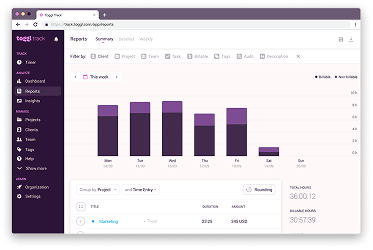
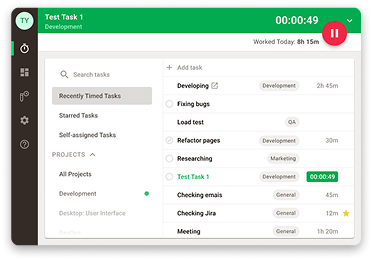
At its core, Toggl is a simple time tracker, but its UI is very user-friendly, and it can produce detailed and insightful reports for managers. Toggl also has an automatic time tracking component that works differently from DeskTime: it won’t automatically fill the timeline with all user activity; instead, it can gather data about device usage that users can then convert into time logs at will.
Type:
Manual productivity tracker (with an automatic component)
Best for:
Freelancers, agencies, small & medium businesses
Pricing:
Free (limited features and team size), paid plans starting from $9/mo per user
Main features of Toggl Track
Simple time tracking
Toggl Track is designed to make manual time tracking effortless. Users can track time with a stopwatch, add time logs retroactively, or use device activity to quickly produce time logs.
100+ integrations
Toggl Track integrates with a wide variety of tools, including Jira, Trello, GitHub, and many more. It can sync tasks, projects, and events, and the browser extension adds a convenient button to instantly track time within the same tab.
Reporting & invoicing
Toggl Track will visualize time tracking data as reports that provide detailed insights about time usage and expenses to managers, and it streamlines billing for clients and invoicing for freelancers or consultants.
Pros & cons of Toggl Track
Supports all major OSes, browsers, mobile and web
Seamless integration with 100+ external tools
Free tier available with limited features and team size
Limited insights about productivity: it’s still a stopwatch at its core
Premium and Enterprise plans can get expensive (from $18/mo per users)
Requires manual time log entry, even with the automatic tracking feature
Teramind
Teramind is an enterprise user activity monitoring solution. Even though it is mainly focused on risk management and data loss prevention (DLP), it also has a productivity monitoring component. Teramind offers a wide variety of surveillance features and even predictive AI analytics. It is excellent for large organizations with specific requirements, but it may be too much for small and medium businesses.
Type:
Automatic productivity tracker
Best for:
Large enterprises in highly regulated industries
Teramind can be configured to track active apps and websites, keypresses, on-screen content with OCR, and network activity. It can also save screen recordings and offers real-time streaming of user screens.
AI analysis
Teramind can categorize user activity logs and send notifications about specific actions (such as violations of security policies), and it can use AI for behavioral analysis to identify potential security risks. It can also perform sentiment analysis on communications.
Productivity monitoring
The data gathered by Teramind is used not just for risk management and DLP; it can also analyze employee productivity and perform time tracking, with highly detailed insights about device usage.
Pros & cons of Teramind
2-in-1 solution: risk management and productivity tracking
Wide range of tracking features with granular configuration
Peerless for high-security industries: medicine, government, research
Very invasive: total device surveillance may impact employee trust and productivity
Expensive: fully featured plans can go up to $35/mo per user
Intended for large enterprises: lighter, less complex tools may be better for small and medium businesses.
Hubstaff
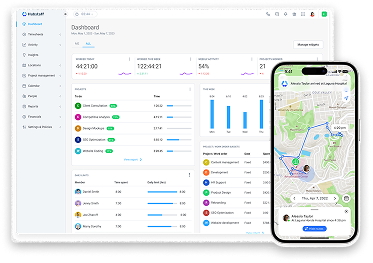
Hubstaff is one of the most popular automatic time tracking and productivity monitoring platforms. It offers all you would expect from productivity tracking software: app and website monitoring, idle detection, time logging, attendance tracking, and screenshots. But its true standout feature is GPS tracking and geofencing.
Type:
Automatic productivity tracker
Best for:
SMB and enterprise, especially teams with field workers and contractors
Supported platforms:
Windows, Mac, Linux, iOS, Android, Chrome extension, web
Pricing:
starting from $7/mo per user; trial available (14 days).
Main features of Hubstaff
Automatic productivity tracking
Hubstaff monitors device usage (active apps and websites, idle time, and optional screenshots) to gather insights about users’ productivity over the day and automate time tracking.
Team management
Hubstaff produces detailed real-time reports about team productivity, shift attendance, team capacity, and unusual activity alerts. In addition, it can automate invoicing based on the time tracking data.
GPS Tracking
Hubstaff is uniquely suited for teams that combine desk work with field work: it can track the user’s location and set up geofencing so that time can only be logged from specific locations.
Pros & cons of Hubstaff
Automatic productivity tracking: zero friction for users
Unique GPS features for field work and contractors
Integration with many project management boards, calendars, CRMs, and payment tools
Complicated pricing structure: four tiers and various optional add-ons
Productivity insights and other features are paid add-ons in most tiers
Starter ($7/mo) and Grow ($9/mo) tiers are very limited in features and capacity
Harvest
Harvest is an old-school time tracker that is focused on accounting and project cost management, not productivity analysis. Perhaps this ability to accurately track time, easily estimate expenses, and generate invoices is the reason why it has remained one of the most used time tracking tools since 2006.
Pricing:
Free (1 user, 2 projects); paid plans starting from $11/mo per user (30-day free trial available)
Main features of Harvest
Project time tracking
Harvest is a manual time tracker that allows teams to log time spent on projects, track billable hours, and produce accurate time sheets.
Built-in invoicing
Harvest’s standout feature is its ability to easily create invoices based on the time data. It also integrates with PayPal, Stripe, and other platforms to simplify payments.
Integrations
Harvest can easily connect and sync with more than 50 services, including Google Calendar, Outlook, Trello, Asana, Slack, Jira, and many others.
Pros & cons of Harvest
Time tracking from web and mobile: great for freelancers and consultants
Multiple features geared towards accounting and invoicing
Free tier available for individual use
It’s a manual time tracker: data accuracy depends on user habits
No productivity insights: it is solely focused on time tracking & cost calculation
Expensive for a manual time tracker
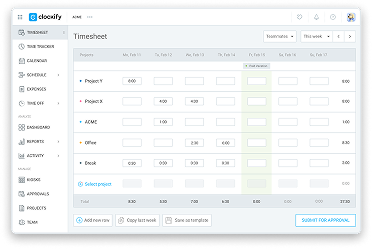
Clockify
What sets Clockify apart from other solutions on this list is its flexible pricing model. Its free tier supports up to 5 users and has time tracking, idle detection, and integrations with other apps. As you go up the pricing tiers, you also get features like screenshots, GPS tracking, budgeting tools, and attendance tracking.
Type:
Manual productivity tracker (with an automatic component)
Best for:
Personal use, small teams, startups, SMB, enterprise—thanks to its scalable pricing
Pricing:
Free (up to 5 users, limited features); paid plans starting from $3.99/mo per user
Main features of Clockify
Time tracking
Clockify is a simple and user-friendly manual time tracker with an automatic component that monitors the active apps and allows users to manually convert usage stats into timelogs. It’s not fully automatic (like DeskTime), but it is similar to Toggl Track in that regard.
Team management
Clockify’s paid tiers include features aimed towards managers—shift scheduling, absence calendar, timesheet approval, expense management, payroll, and GPS tracking.
Kiosk clock-ins
Clockify can be set up to allow multiple users to clock their time from a shared device (tablet, kiosk PC) using QR codes or PINs; useful for factories, warehouses, and other on-site locations.
Pros & cons of Clockify
Generous free tier for personal use
GPS tracking and kiosk mode: great for on-site or field work
Scalable pricing model with multiple tiers
The automatic tracking component still requires manual input
More focused on time tracking than productivity analytics
Some must-have features are only available in higher tiers
Qbserve
Most of the productivity tracking software options on this list are aimed towards businesses, but Qbserve is different—it’s a Mac app made by an independent developer that is designed to improve your personal productivity and analyze your habits. It silently tracks your active apps and websites and shows insights about how you use your time, and it can also help with generating invoices for freelance work. Qbserve is not a SaaS—it’s just a one-time payment. It also doesn’t have a cloud service; instead, it stores all data locally on your Mac. For businesses, that’s a no-go, but for personal use, Qbserve is probably the best solution on this list.
Type:
Automatic productivity tracker
Best for:
Personal use, freelance work
Supported platforms:
Mac
Pricing:
$29 one-time payment per user, trial available (15 days)
Main features of Qbserve
Automatic productivity tracking for personal use
You can install Qbserve on your personal Mac to track all open apps and accessed websites, and analyze that data to use your time better, improve your focus, and identify bad habits.
Easy invoicing and data export
Qbserve makes time tracking easier for freelancers—you can simply select all the time that you spent on the project and generate an invoice. Qbserve can also export data as JSON or CSV.
Fully local
Since Qbserve is aimed towards personal use, not businesses (who are looking for cloud services and SaaS instead), it stores all data locally and therefore has no need for a subscription.
Pros & cons of Qbserve
Fully automatic productivity tracking based on device usage
Perfect for personal use to become more organized and productive
One-time license fee with no subscription
Not suited for business use: has no cloud service or team management
No Windows or Linux version: supports only Mac
App not available on Mac App Store: must be purchased externally
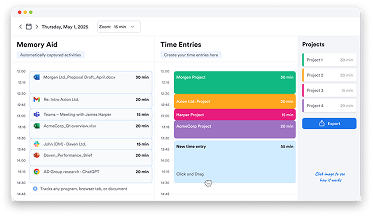
MemTime
MemTime (formerly TimeBro) is a productivity tracking app that silently works in the background to gather data about device use over the day. Their key focus is privacy—all recorded activity remains on the user’s device until they manually submit it to MemTime as time logs. It can also sync calendar events, projects, and tasks from more than 100 external services (Google Calendar, Outlook, Jira, Trello, etc.), which is only available in certain paid tiers.
Type:
Automatic productivity tracker
Best for:
Small and medium businesses
Supported platforms:
Windows, Mac, Linux
Pricing:
starting from $12/mo per user, trial available (14 days)
Main features of MemTime
Automatic time tracking locally
MemTime will track device usage and show productivity insights to the user, but this data is not synced until the user decides to submit it as time logs. It’s a different approach to ensuring user privacy.
Project management
In MemTime, managers can create projects (or sync with other services) and assign users to them, and users can drag-and-drop their time logs from their personal timeline to specific projects.
Integrations
Memtime’s Connect tier (from $15/mo per user) allows for seamless syncing with a wide range of professional tools, including industry-specific software for law (Clio, Lawcus) and accounting, alongside standard tools like Jira and ClickUp.
Pros & cons of MemTime
Automatic device usage tracking with at-will sync
Easy-to-use project management view
100+ integrations (however, they require an upgraded tier)
Time logs must be manually submitted, and user activity cannot be viewed in real-time
No team management features like attendance tracking or absence calendar
Expensive (starts at $12/mo and requires an upgrade to use integrations)
Insightful
Insightful calls itself a work intelligence platform, which means that it provides detailed analytics about employee productivity and behavior, and finds ways to improve operational efficiency. It can track a lot of data, including time logs, device usage, locations, and screenshots or recordings—but in return, you get incredibly thorough reports.
Type:
Automatic productivity tracker
Best for:
Medium and large enterprises
Supported platforms:
Windows, Mac, Linux (beta)
Pricing:
starting from $8/mo per user; trial available (7 days)
Main features of Insightful
Automatic workforce analytics
Collects raw data on app and website usage to create "utilization reports," helping managers identify which departments are overstaffed or under-utilized based on their digital activity levels.
Advanced screenshots & recording
Like other tools here, Insightful can also take screenshots and videos of the user’s screen, but they can be triggered by certain activities or disabled while a specific project is active.
Cloud or on-premises hosting
While cloud services are the right fit for most organizations, Insightful also offers on-premises deployment, which is a must-have if your industry has unique security requirements.
Pros & cons of Insightful
Detailed work intelligence insights
Offers on-premises hosting
Screenshots and recordings are highly configurable
Features like Stealth Mode may cause trust issues and employee pushback
More expensive than competitors
Screenshots and recordings are separate paid add-ons
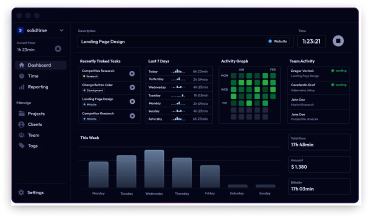
solidtime
Even though solidtime (yes, written in lowercase) is a classic time tracker with not a lot of focus towards productivity analysis, we feel that it deserves a spot on this list. It’s lightweight and simple to use, and, most importantly, it’s open source. The app itself is free, so you can track your time locally or self-host it (great for freelance work or personal projects), but teams can also subscribe to cloud hosting.
Type:
Manual productivity tracker
Best for:
Personal use, freelance work, startups
Supported platforms:
Windows, Mac, Linux, mobile (via web apps)
Pricing:
Free open source software with optional cloud service (€8/mo per user)
Main features of solidtime
Time tracking and invoicing
solidtime makes it easy to track time spent on each project and generate invoices for billable hours. This data can be explored in a beautiful and lightweight desktop application.
Free open source software
Most enterprise solutions are closed-source, but solidtime is free, and its source code is available on their GitHub.
Local, self-hosted, or cloud
The solidtime app will store data locally, but for web access, it can also be self-hosted using Docker. solidtime also offers cloud hosting or enterprise support for on-premise solutions.
Pros & cons of solidtime
Lightweight app with a beautiful UI
Free open source software that can be self-hosted
Simple time tracking, task management, and invoicing
Limited functionality with no productivity insights
With cloud hosting, it becomes more expensive than other, more capable tools
Open source may be a benefit for some and a drawback for others
ActivTrak
ActivTrak is an automatic productivity tracking and workplace analytics platform. It will monitor device usage and deliver insights about team performance, employee habits, and potential productivity issues. While it is significantly more expensive than similar trackers (like DeskTime), it distinguishes itself with the rich and detailed reporting tools for in-depth analytics.
Type:
Automatic productivity tracker
Best for:
Large enterprises
Supported platforms:
Windows, Mac, ChromeOS
Pricing:
Free (max. 3 users), paid plans starting from $10/mo per user; trial available (14 days)
Main features of ActivTrak
Detailed workplace analytics
ActivTrak monitors device usage and tracks employee attendance to produce in-depth reports about workplace productivity. This data is highly detailed, and it can be visualized in customizable real-time dashboards.
Connectivity & integrations
ActivTrak easily integrates with platforms like Google Calendar and Outlook to sync employee appointments as time logs. Furthermore, they offer the ActivConnect API as a separate purchase to easily connect it with BI platforms or third-party business tools like Salesforce and Zendesk.
AI ROI tracking
In the age of ever-increasing AI spending (DeskTime study reveals AI usage has tripled in the last year alone), ActivTrak has introduced a feature that measures the productivity impact of AI and calculates its ROI.
Pros & cons of ActivTrak
Heavy focus on in-depth analytics and visualization of productivity data
ROI analytics for AI investments and software adoption
Free plan for small teams (up to 3 users)
More expensive than competitors
Separate paid addons for screenshots and ActivConnect API
No Linux support
TimeCamp
TimeCamp can monitor device activity to track work hours, manage attendance, and simplify billing or cost management. It also has a productivity tracking component that categorizes device usage into productive and unproductive activities. However, its latest key feature is AI integration that assists with timesheet management by analyzing patterns and sorting activities into projects.
Type:
Automatic productivity tracker
Best for:
Personal use, freelancers, startups, SMB, agencies
Pricing:
Free, paid plans starting from $3.99/mo per user; trial available (14 days)
Main features of TimeCamp
Automatic time tracking with AI
TimeCamp desktop app records device activity and uses that data to produce time logs and give insights about productivity. It also uses an AI agent to help assign time logs to projects.
Team management
TimeCamp includes attendance monitoring, shift scheduling, and vacation or sick leave management. It also has robust expense tracking, billing, and invoicing tools.
Integrations
TimeCamp has a wide range of integrations with the leading business tools, including Trello, Jira, Notion, Asana, and many more.
Pros & cons of TimeCamp
Free tier offers auto tracking for unlimited users
Entry-level pricing tiers are affordable and scalable
On-premises hosting option available for enterprise clients
Heavily tiered pricing with many features available only in the Ultimate plan
Automatic tracking requires prior setup to accurately categorize data
Complicated UI
Time Doctor
Time Doctor is an employee monitoring software that tracks activity on the device to provide insights about productivity, behavior, and time usage. Its standout feature is Benchmarks AI, which compares your performance data against industry benchmarks from similar organizations. This could be useful to identify potential issues or spot opportunities.
Type:
Automatic productivity tracker
Best for:
Remote teams, BPO, and companies that require proof-of-work
Pricing:
starting from $6.67/month per user; free trial available (14 days)
Main features of Time Doctor
Comprehensive employee monitoring
Time Doctor tracks websites and apps used during work hours and calculates activity levels based on keyboard and mouse movement. It can also be set to take periodic screenshots or even video recordings (on Premium) of a user's screen to provide proof of work.
Distraction alerts
To ensure employee focus, the app can detect when a user has been idle for too long or is browsing non-work-related sites (like YouTube or Facebook). It will then trigger an Are you still working? pop-up to nudge them back to their tasks.
Work-life balance insights
The platform includes a dedicated "Work-life balance" dashboard that alerts managers if employees are working too many hours, working late at night, or showing signs of potential burnout, allowing for more informed leadership decisions.
Pros & cons of Time Doctor
Benchmark AI could be useful to compare your productivity stats against competitors
Detailed reports about productivity and time usage
Heavy focus on employee monitoring could cause trust issues
Fully featured plans cost more than competitors
Multiple features (Benchmarks AI, video recording) are separate add-ons
Timely
Just like many other apps on this list, Timely tracks device activity in the background. However, while other apps like DeskTime are aimed towards productivity tracking and workplace insights, Timely is designed specifically for the purpose of simplifying timekeeping. The tracked usage is stored as a private timeline, which the user can choose to convert into accurate time logs at will.
Type:
Automatic time tracker
Best for:
Agencies, consultancies, startups, SMBs
Supported platforms:
Windows, Mac, iOS, Android, web
Pricing:
starting from $9/mo per user; free trial available (14 days)
Main features of Timely
AI timesheets
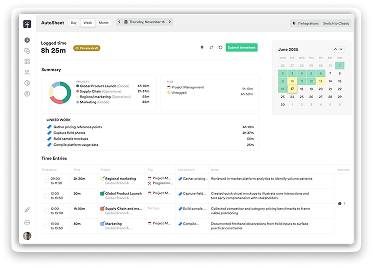
In addition to automatic time tracking, which produces time logs based on recorded device usage that users can submit at will, Timely includes AutoSheet, which uses AI to assist with timesheet creation.
Capacity management
Timely can be used to schedule work, allocate employees, and manage workload. Managers can see a dashboard with the team’s capacity that helps avoid overload or underutilization.
Integrations
Timely can sync projects and appointments with business platforms like Google Calendar, Outlook, Asana, Jira, Trello, Todoist, and more. In addition, it can integrate with Toggl and Harvest, which are two other time trackers mentioned in this list.
Pros & cons of Timely
Automatic time tracking in the background
Slick and intuitive UI
Simple timesheet creation and invoicing
Focused on time tracking; lacks productivity insights
Expensive for a time tracker
Time sheets still require manual input from the user
Jibble
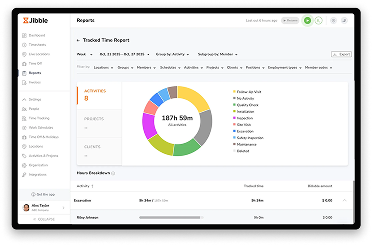
If you are looking for the best free productivity tracking software, Jibble is a serious contender. Their free plan is rich in features and provides automated timesheets, screenshot capturing, on-site clock-ins (with biometric ID available), and a wide range of integrations for unlimited users. That being said, it’s mostly focused on time tracking and clock-ins, rather than productivity insights.
Type:
Manual attendance & time tracker
Best for:
On-site work (construction, retail, manufacturing), field work
Pricing:
Free, with paid plans starting from $3.99/month per user
Main features of Jibble
On-site timekeeping
Jibble is focused on tracking time not just in the office, but also at on-site locations. In addition to desktop and mobile apps or web, Jibble can clock in time from shared kiosk devices, and it supports facial recognition to prevent “buddy-punching”.
GPS Tracking & Geofencing
For employees on the move, Jibble can record GPS coordinates for clocking. Managers can also set up geofencing to allow logging time only in specific areas and ensure that the employee is physically present at the location.
Desktop tracking
For office workers, Jibble can monitor device sleep and wake times to automatically clock in and out or start breaks. It can also periodically capture screenshots if enabled. Jibble will notify the user when time logs start and end, and when screenshots are taken.
Pros & cons of Jibble
The free plan has unlimited users and is generous in features
Robust time tracking for office, on-site, and field work
Integrations with various project management, calendar, accounting, and CRM platforms
Activity monitoring is not yet available (June 2026)
Heavy focus on time and attendance management, not productivity tracking
Employees may find tracking and clock-ins annoying, especially if using face detection.
Rize
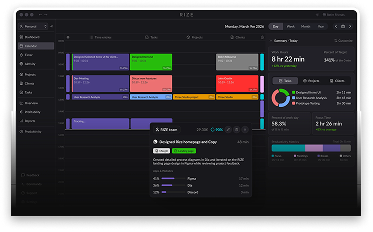
Released in 2020, Rize is a relative newcomer to the productivity tracker market. However, it immediately attracted attention with its beautiful and intuitive UI, and automatic productivity tracking that uses AI to auto-categorize time entries. You can also start Focus Sessions to better focus on a specific task—it can even play music during that time! Of course, with a premium-looking design also comes a premium price tag.
Type:
Automatic productivity tracker
Best for:
Personal use, freelancers, startups, SMB, agencies
Supported platforms:
Windows, Mac
Pricing:
starting from $9.99/month per user; trial available (7 days)
Main features of Rize
Productivity tracking with AI
Rize tracks device activity (app and website) and categorizes device usage using AI. It can distinguish between “Deep Work”, “Administrative” tasks, distractions, and other categories.
Daily & weekly productivity reports
While many other solutions on this list cater towards managers, Rize is designed employee-first, delivering a detailed breakdown of device usage, focus time, context switching, and a “Focus Quality” score for personal performance improvement.
Billable hours by client
One of the reasons why Rize is gaining popularity among freelancers and agencies is that it can categorize time logs into separate clients automatically and export that data to generate invoices.
Pros & cons of Rize
Incredible UI design
AI categorization of tasks into focus groups or separate clients
Detailed productivity insights for employees
Steep price tag
No mobile or web app, and no Linux support
Lacks management & HR features
A time tracker that won’t interrupt your team’s workflow. Ever.
Forget manual entries and distractions. With DeskTime, time tracking runs on autopilot—zero effort needed.
Productivity tracking software is a tool that gathers data about how employees spend their time at work and analyzes their productivity. This data can be used to better improve their workflow and assign responsibilities, and to identify distractions, burnout, or other issues that may impact productivity.
The basic principle of productivity is simple: subtract time spent productively from the total time at work. However, to do that, you need to measure how much time was spent productively, and the most popular way to do that is by monitoring device activity to see what apps and websites are open during the day.
The main factors that make a productivity tracking tool the best are: accuracy of insights, ease of use, security, privacy, additional features (like shift scheduling or team management), and, of course, price. Each business has different requirements, so there is no one “best” solution for all users. However, DeskTime is easy to use, produces detailed productivity insights, and has simple and scalable pricing.
That depends on the business. Large enterprises usually use a suite of dedicated tools for each aspect: one tool for time tracking, another for shift scheduling, yet another one for billing and invoicing, and another on top of that for employee monitoring. However, for startups and SMBs, an all-in-one platform like DeskTime would be more cost-effective.
While most productivity trackers are intended for corporate use (which means team analytics, cloud sync, and scalable SaaS pricing), some options are focused towards individual use too. If you want to manage your own time, improve personal productivity, and reduce distractions, we recommend checking out solidtime (free open-source time tracker), Rize (premium automatic productivity tracker with a personal plan), and TimeCamp (has a free plan).
On a personal level, productivity trackers help employees to focus better on work, identify distractions, manage time and priorities, and have a fair benchmark for their performance. For managers, it simplifies workforce allocation, attendance tracking, remote work management, and it helps identify burnout, "quiet quitting", or misuse of company devices.
Time trackers (like Harvest) measure time spent at work and on specific tasks, and their main purpose is to accurately calculate project costs and billable hours. Productivity trackers (like DeskTime) also track time spent working, but on top of that, they show how much of that time was used productively or unproductively, giving more accurate insights about employee performance.