Manage workflow with
agency time tracking software

Work effectively on projects, be aware of the costs, and bill your clients precisely with DeskTime's agency time tracking app.

Used by 730k+ users
14 day free trial
No credit card required

Benefits from tracking agency time

1 Track projects and calculate costs

Track the time spent on projects, stay tuned with your agency's progress on tasks, and receive a precise project cost calculation with DeskTime features.

2 Boost your agency's productivity and efficiency

DeskTime boosts workers' productivity and efficiency levels by up to 30%. Increased work performance can significantly heighten job satisfaction within your employees.

3 Give employees full visibility into their own tracked data

Agency employees can see exactly what DeskTime records about them—hours, productivity breakdowns, and project time—through their personal dashboard. No hidden data, no surprises. This makes it easier to introduce tracking in creative teams where autonomy matters.

Time tracking software for agencies

DeskTime provides automated agency time tracking. The app works quietly in the background and doesn't require any manual input. DeskTime's Project tracking feature offers an easy way to manage tasks and boost self-accountability among your employees.

How to use DeskTime effectively for agency time tracking

Manage projects and calculate the costs precisely

Manage projects and calculate the costs precisely

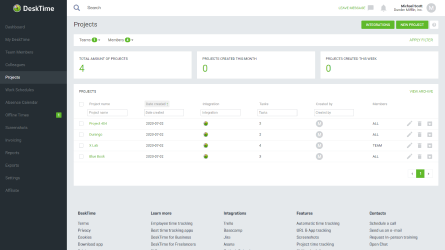
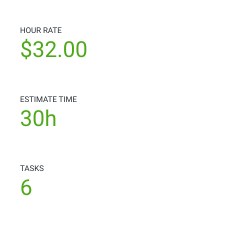
Having several significant projects on the agency's plate at once can be a bit of a load to carry. However, it's a common reality. DeskTime offers a helping hand with features such as Project tracking and Cost calculation. Acknowledge how much time the team spends on particular tasks, divide your workforce accordingly, and be aware of how much each project costs your agency.

Work from anywhere and stay accountable

Work from anywhere and stay accountable

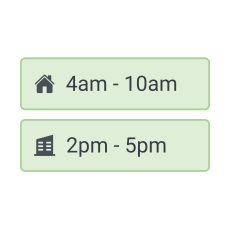
Does your agency have remote workers? Or are you being flexible with your employees' working location and schedules in general? DeskTime tracks time from anywhere, offering offline time tracking for situations where your employees are not able to stay online.

Support a healthy work-life balance

Support a healthy work-life balance

Having a time tracking app can add a lot more healthy work-life balance, even if that sounds controversial at first. DeskTime offers a Private time option that provides employees with desktop privacy during working hours when needed. Employees also have access to the same productivity and time data their manager sees, so there are no hidden metrics, and performance conversations are grounded in data both sides can verify.

Integrate the time tracking tool with useful 3rd party apps

Integrate the time tracking tool with useful 3rd party apps

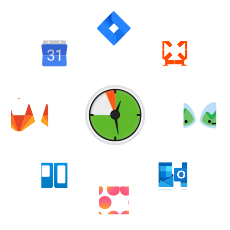
Agencies often use various tools or services for fast-tracking their work. DeskTime's agency time tracking app can be integrated with project management tools, calendar apps, and more. Whether your agency's using, for example, Asana, Trello, or Google calendar – sync them with DeskTime and start tracking your work time right away.

DeskTime


Reviews and ratings from real users on Capterra - software rating platform.

Time tracking your agency team will actually accept

Agency employees—designers, copywriters, strategists—often assume time tracking means being watched. DeskTime is transparent by design: every employee sees their own data in real time, knows exactly what is and isn't being recorded, and can enable Private Time to pause tracking whenever needed. No hidden metrics, no surprises. For agency managers, that means less pushback during rollout and more reliable data in the long term.

A time tracker that won’t interrupt your team’s workflow. Ever.

Forget manual entries and distractions. With DeskTime, time tracking runs on autopilot—zero effort needed.

Frequently asked questions

Time tracking software is especially useful for agencies because they typically work with multiple clients and many different projects at once, with different team members contributing varying amounts of time to each. An automatic time tracker like DeskTime will accurately track billable time, calculate project costs, and allow more efficient utilization of agency resources.
DeskTime automatically tracks device activity (including document title tracking), and with the project tracking feature, this time can be assigned to specific projects or clients. This way, you can generate per-client reports and see accurate costs per each project.
Yes, DeskTime has integrations with tools like Jira, Trello, and Asana. The projects and tasks can easily sync with DeskTime, and users can select the active project from a list so all their tracked time goes to that project, which will help you accurately calculate resources spent on each project.
Yes, DeskTime is perfectly suited for hybrid and remote teams. The DeskTime app runs in the background on the employee’s computer, automatically tracking time spent at work with minimal user input. Offline work, like in-person meetings, can be easily added manually or synced from Outlook or Google Calendar. What’s more, DeskTime has multiple features that are incredibly useful for remote team management, such as shift scheduler, absence calendar, and IP tracking.
DeskTime boosts team productivity by up to 30% through automated background tracking that fosters employee self-accountability without distracting manual inputs. Furthermore, it allows agencies to generate detailed, customized reports to provide transparent proof of work, which builds long-term client trust and simplifies precise billing.