Track your
JIRA tasks with DeskTime

Integrate DeskTime time tracking app with your JIRA project management software

Used by 730k+ users
4.5 star rating on G2
No credit card required

TL;DR: DeskTime easily integrates with Jira. It will automatically import your projects and tasks from Jira to DeskTime, and employees can simply select a specific Jira task to track time spent on it (instead of manually entering project name). Managers can easily see how much time and resources was spent on each project, which will enable more accurate budgeting and resource allocation.

How to track your JIRA tasks with DeskTime:

  • Create a DeskTime account and install the DeskTime app

  • From your DeskTime dashboard, go to Settings, then Integrations

  • Find the JIRA integration and press Activate

  • Log in to your JIRA account and allow the access

  • Your projects and tasks from JIRA will automatically be imported to DeskTime

  • Go to the DeskTime app, choose a project or task to track and start the timer

Stay organized

Stay organized

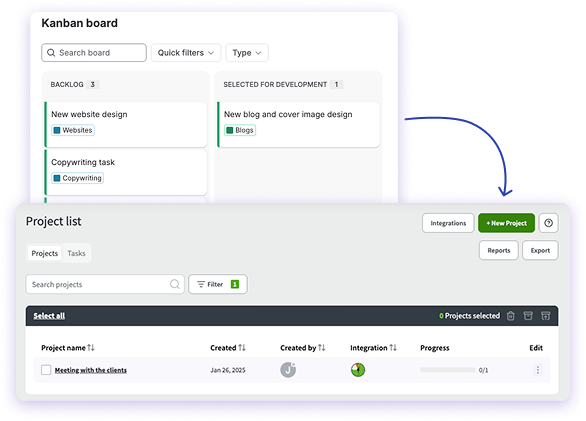
With the DeskTime + JIRA integration, all your tasks from your project management software will automatically appear in your time tracking app. That means, no manual copy-pasting or tasks lost between the apps. Just pick the task from the list on DeskTime and start tracking!

Stay in the loop

Stay in the loop

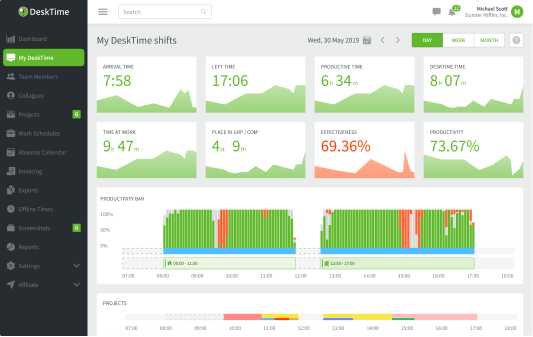
See who from the team, when and for how long has worked on certain projects and tasks. That way, you'll be able to estimate the status of your projects without asking for reports that make employees think you don't trust them.

Stay on budget

Stay on budget

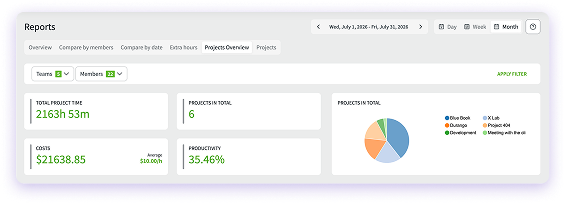
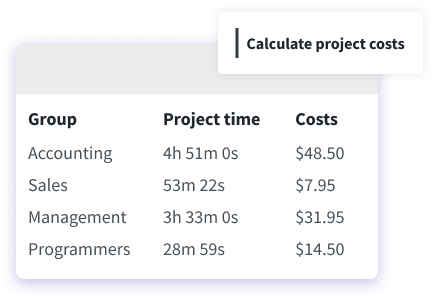
By knowing how much time you spend on each project or task, you'll be able to precisely calculate how much they cost to the company. Or better yet - just fill in your employees' hourly rates into DeskTime, and it'll calculate the costs automatically for you.

Precise and effortless project tracking - connect JIRA to DeskTime now!

Forget manual entries and distractions. With DeskTime, time tracking runs on autopilot—zero effort needed.

Frequently asked questions about Jira and DeskTime integration

Yes, DeskTime integrates seamlessly with Jira to automatically capture and log work hours directly against your specific development issues and project tasks.
Even though Jira includes a built-in time tracking tool, DeskTime can provide more accurate time tracking data that automatically tracks device activity and recognizes exactly how much time was spent on a particular task. It will subtract breaks, unproductive time, and moments of context-switching from the time spent on a task.
It provides project managers with real-time, objective data about the exact hours dedicated to specific tickets, epics, or bug fixes. This granular visibility streamlines project budgeting, improves future sprint planning, and ensures precise billing for client-facing projects.
No, DeskTime eliminates the need for manual timers by automatically tracking time in the background and recognizing when you are actively working on specific Jira issue keys or document titles. This keeps your development team focused entirely on coding rather than administrative logging.