


Best tools for task-based time tracking


Time tracking is simple when all you need to know is when someone started and ended their workday. But if you manage projects, clients, budgets, or a team with many moving parts, “8 hours worked” doesn’t tell you enough.
That’s where task-based time tracking becomes useful.
Instead of only recording total work hours, task-based time tracking connects time to specific tasks, projects, clients, or work categories. It gives managers, team leads, freelancers, and business owners a clearer view of what work is being done, how long it takes, and where projects may need better planning.
In this article, we’ll look at what task-based time tracking means, how it differs from general employee time tracking, and which time tracking tools are best suited for different types of work.
Want to get the most out of your time?
Try DeskTime for free!
Try free for 14 days · No credit card required.
By signing up, you agree to our terms and privacy policy.
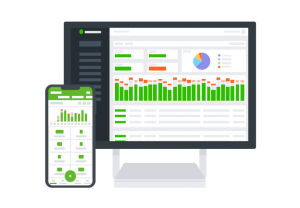
What is task-based time tracking?
Task-based time tracking is the process of recording work hours against specific tasks, projects, clients, or activities. Instead of only logging when someone started and ended their workday, it shows what their time was actually spent on.
For example, instead of logging:
“Worked from 9:00 to 17:00”
a team member might log:
- 2 hours on client onboarding
- 1.5 hours on website revisions
- 45 minutes on project management
- 3 hours on development work
- 30 minutes on internal meetings
That’s the main difference between general time tracking and task-based time tracking. General time tracking usually answers one question: How many hours did someone work? This is useful for attendance, payroll, overtime, compliance, and understanding basic work schedules.
Task-based time tracking goes one level deeper and answers: What was that time spent on?
This distinction matters because total hours don’t always reflect the complexity of the work. Two employees may both work 8 hours, but one may spend most of that time on focused project delivery, while another is pulled into meetings, admin tasks, and urgent client requests.
By connecting time to specific work, task-based tracking turns time data into something more useful than a timesheet. It helps teams understand how much time projects require, which tasks repeat often, where focus gets interrupted, and whether estimates match reality.

Why task-based time tracking matters
Task-based time tracking is especially useful when work needs to be planned, reported, billed, or improved.
Here are the main reasons teams use it.
1. It gives managers clearer project visibility
Without task-level time data, project updates often rely on rough estimates. A manager may know that a project is “in progress,” but not whether most of the time is going into strategy, revisions, meetings, QA, or unexpected fixes.
Task-based time tracking makes that clearer. It helps managers see which activities are taking longer than expected and which projects need more resources before deadlines become a problem.
2. It improves future project estimates
Modern knowledge work is often difficult to estimate. Creative, technical, operational, and strategic tasks can take longer than expected because they involve thinking, coordination, feedback, and problem-solving.
When teams track time by task, estimates become less dependent on memory and guesswork. Past projects can be used as a reference point for future planning.
For example, if similar client onboarding projects usually take 18–22 hours, your next proposal or project plan can be based on real historical data instead of optimism.
3. It supports accurate client billing
For freelancers, consultants, agencies, and service-based businesses, task-based time tracking is often directly connected to revenue.
It helps show how much time was spent on client work, which hours are billable, and whether fixed-fee projects are still profitable. It can also reduce awkward billing conversations because both sides have a clearer view of the work completed.
4. It helps identify workflow inefficiencies
Task-level data can reveal patterns that are hard to notice day-to-day.
Maybe meetings are taking more time than delivery. Maybe QA always expands near the end of a project. Maybe one client needs far more revisions than others, or admin work is quietly eating into focused work time.
These insights don’t mean every minute should be judged. They simply help teams understand where time goes and where processes could be improved.
5. It creates accountability without relying on micromanagement
Good time tracking is not about watching every move. It’s about creating a shared understanding of work.
When task-based time tracking is implemented well, employees know what they’re working on, managers get better visibility, and teams can have more objective conversations about workload, priorities, and support.
That’s especially valuable for remote, hybrid, and distributed teams where managers can’t rely on office visibility to understand progress.

How to choose the best time tracking software for tracking tasks
There are many time tracking tools available, but not all are suitable for task-based tracking. Before diving into choosing a tool, it’s crucial to understand what you are looking for.
1. Define your primary goal
Start with the reason you need task-based time tracking.
If your main goal is client billing, look for billable hours, invoicing, hourly rates, approvals, and accounting tool integrations.
If your main goal is project profitability, look for project budgets, estimated vs. actual time, cost tracking, and reports by client or project.
If your main goal is team productivity, look for automatic tracking, productivity insights, app and URL usage, idle time detection, and dashboards.
If your main goal is workload planning, look for capacity reports, scheduling, project progress tracking, and team-level analytics.
2. Decide how time should be tracked
Some teams prefer manual timers because they want full control over what gets logged. This can work well for freelancers, consultants, lawyers, creatives, and teams that switch between many types of work.
Other teams benefit from automatic time tracking because manual timers are easy to forget. This is useful for teams that spend most of the day on computers and need accurate work patterns without constant start-stop actions.
The right choice depends on your workflow. Manual tracking gives control. Automatic tracking reduces friction. Many teams need a mix of both.
3. Check integrations with your existing tools
Task-based time tracking works best when it fits into your existing workflow.
If your team manages work in Asana, Jira, Trello, ClickUp, or another project management platform, check whether the time tracker integrates with it. Otherwise, employees may need to duplicate work by tracking tasks in one system and managing them in another.
Also, check integrations with accounting, payroll, calendars, invoicing, and reporting tools if those are part of your workflow.
4. Look at reports and approval workflows
A timer is only part of the system. The real value comes from what you can do with the tracked data.
Look for time tracking reports that can show:
- Time by task.
- Time by project.
- Time by client.
- Billable vs. non-billable hours.
- Estimated vs. actual time.
- Team workload.
- Productivity patterns.
- Exported timesheets.
If the data will be used for payroll, billing, or client reporting, timesheet approvals may also be important.
5. Consider ease of use and team adoption
Even the most advanced time tracking software won’t help if your team avoids using it.
Choose a tool that fits the way people already work. An agency may need project budgets and invoicing. A remote company may need automatic time tracking and workforce analytics. A field team may need GPS and mobile tracking.
The best tool is the one that gives you the visibility you need without unnecessary admin work.

Best task-based time tracking tools by use case
Below are some of the most relevant task-based time tracking tools to consider. For your convenience, we’ve grouped them by the type of work they fit best.
DeskTime: best for automatic time tracking with task and project visibility
DeskTime is a strong fit for teams that want automatic time tracking together with task and project tracking.
It’s especially useful for companies that need visibility into how work hours are spent without relying only on manual timesheets. DeskTime can track work automatically through its desktop app, while also supporting project time tracking and manual time entries when needed.
This makes it useful for computer-based teams, remote and hybrid companies, agencies, consultants, and managers who want to understand both work hours and productivity patterns.
Key strengths
- Automatic time tracking reduces the need to manually start and stop timers.
- Project and task tracking help teams see where time goes.
- Productivity insights show how work hours are spent across apps, websites, and activities.
- Reports, exports, dashboards, and AI summaries help managers review team performance.
- Integrations with tools like Jira, Asana, Trello, GitLab, Google Calendar, Outlook, and Zapier help connect time tracking to daily workflows.
- Customizable settings and private time can help teams adapt tracking to their internal policies.
Best for: DeskTime is best for teams seeking a balance among automatic employee time tracking, project time tracking, productivity insights, and workforce analytics.
It’s a good fit for managers and business owners who don’t just want to know when work happened, but what the workday looked like.
Possible limitations: DeskTime may be too detailed for those who want a simple manual timer.

Looking for a trustworthy time tracking app?
DeskTime helps track your team’s hours and progress automatically.
Clockify: best for simple team time tracking
Clockify is a popular choice for teams that want straightforward time tracking, timesheets, project tracking, reports, and integrations.
It supports timers, manual time entries, timesheets, calendar views, projects, budgets, rates, reports, approvals, expenses, and invoicing. This makes it a flexible option for teams that want task-based tracking without starting with a complex setup.
Key strengths
- Timer and timesheet options support different tracking habits.
- Projects, tasks, budgets, and hourly rates help organize time data.
- Reports can show who worked on what and export data for further use.
- Integrations with project management and business tools make it easier to fit into existing workflows.
- It can work for freelancers, agencies, consultants, startups, and larger teams.
Best for: Tteams that are introducing time tracking for the first time and want something relatively easy to understand.
Possible limitations: Because Clockify covers many use cases, teams should check which advanced features are included in each plan before committing. If your main goal is deeper employee productivity analytics, you may need to compare it carefully with tools designed more specifically for workforce visibility.
Toggl Track: best for freelancers and creative teams
Toggl Track is known for its simple time tracking experience and quick-start timers. It works well for freelancers, consultants, creative teams, marketing teams, and smaller businesses that want task-based time tracking without making the process feel heavy.
Toggl Track supports real-time and manual tracking, offline tracking, mobile and desktop apps, calendar views, one-click timers, integrations, reports, project dashboards, tasks, estimates, alerts, billable rates, and invoicing features.
Key strengths
- Easy timer-based tracking helps teams log time quickly.
- Tasks and project dashboards support more detailed project visibility.
- Estimates and alerts help teams compare planned time with actual work.
- Flexible reports can be useful for clients, managers, and internal planning.
- Browser extensions and integrations help teams track time inside tools they already use.
Best for: Freelancers, creative teams, consultants, and project-based teams who want simple yet flexible task-time-tracking software. It’s especially useful when the priority is adoption. If people need a tool they can start using quickly, Toggl Track is worth considering.
Possible limitations: Teams that need deeper workforce monitoring, attendance tracking, screenshots, or detailed productivity analytics may need a more operations-focused tool. As with all tools, pricing and feature access should be checked before publication or purchase.
Harvest: best for agencies and client billing
Harvest is a strong option for agencies, consultants, and professional services teams that need time tracking connected to invoicing, budgets, payments, and project analysis.
It focuses on helping teams track hours and projects, understand project costs, create reports, manage approvals, and turn tracked time into invoices.
Key strengths
- Time tracking is designed to be simple and easy to adopt.
- Reports help teams understand time spent, project costs, and budgets.
- Budget tracking helps agencies see whether projects are staying profitable.
- Timesheet approvals support more accurate billing and reporting.
- Invoicing and payment features are useful for client-facing work.
- Accounting and payment integrations can streamline financial workflows.
Best for: Harvest is best for agencies, consultancies, design teams, software teams, and professional service firms that bill clients based on tracked work.
It’s particularly useful when time tracking and invoicing need to work together.
Possible limitations: Harvest may not be the best fit for companies whose main goal is employee productivity monitoring or automatic background tracking. It’s strongest when time tracking is tied to project budgets, client reporting, and invoicing.
Hubstaff: best for remote and field teams
Hubstaff combines time tracking with productivity monitoring, project and task tracking, workforce analytics, GPS tracking, budgeting, invoicing, and integrations.
This makes it a good fit for remote teams, field teams, agencies, software teams, consulting businesses, virtual assistant teams, and companies that need more operational visibility.
Key strengths
- Project and task tracking connect time to specific work.
- Automated timesheets and time reports help reduce admin.
- Productivity monitoring features can show activity levels, app and URL usage, idle time, and screenshots.
- GPS and geofencing features are useful for field teams.
- Workforce analytics and capacity planning can support larger or distributed teams.
- Budgeting and invoicing features help connect tracked time to project costs.
Best for: Hubstaff is best for remote, hybrid, and field teams that need both time tracking and operational visibility.
It’s useful when managers need to understand not only which tasks are being worked on, but also how work is distributed across locations, teams, and projects.
Possible limitations: Because Hubstaff includes employee monitoring features, it requires clear internal communication and thoughtful implementation. Teams should define what data is collected, who can access it, and how it will be used before rolling it out.

Time Doctor: best for workforce analytics
Time Doctor is designed for teams that need productivity and workforce analytics alongside time tracking.
It includes automatic tracking, a user-controlled desktop app, project and task management, web and app usage, screenshots, inactivity alerts, dashboards, activity summaries, timeline reports, payroll reporting, custom exports, and integrations.
Key strengths
- Automatic time tracking helps teams reduce missing time entries.
- Project and task management keeps work connected to tracked hours.
- Dashboards and timeline reports give managers more context about work patterns.
- Web and app usage, screenshots, and inactivity alerts provide deeper productivity visibility.
- Payroll reporting and exports can support operational and finance workflows.
- Integrations help connect Time Doctor with other tools.
Best for: Time Doctor is best for larger remote teams, outsourcing companies, distributed operations, and organizations that need detailed workforce analytics.
It may be especially useful when leadership needs high-level visibility into productivity, attendance, software usage, and work patterns across teams.
Possible limitations: Time Doctor may feel too detailed for teams that only need lightweight task-based time tracking. Like other monitoring-heavy tools, it should be introduced with transparency and clear policies to avoid creating distrust.
Overview: choosing a tool according to your needs
The right task-based time tracking tool depends on what you need most. Use this quick breakdown to match your main priority with the tool that fits best.
| What you want/need | Your best choice |
| Automatic time tracking, task and project visibility, productivity insights, and reports in one system | DeskTime |
| A flexible and straightforward time tracking tool for teams, projects, reports, and timesheets | Clockify |
| Simple task-based tracking that freelancers, consultants, and creative teams can adopt quickly | Toggl Track |
| Client billing, project budgets, invoicing, and agency profitability are your main priorities | Harvest |
| You manage remote or field teams and need time tracking combined with workforce visibility | Hubstaff |
| Deeper productivity analytics, dashboards, and operational reporting for distributed teams | Time Doctor |
Final thoughts
Task-based time tracking helps turn work hours into meaningful data.
It shows which tasks take the most time, where project estimates need improvement, how client work should be billed, and whether teams have enough capacity to do their best work.
Clarity is what makes the right time tracking tool so valuable. It helps teams move beyond “how many hours were worked?” and start answering questions such as: what did those hours go toward, what needs more support, and how can work be planned better next time?
DeskTime is built around this kind of visibility. By combining automatic time tracking with project and task tracking, productivity insights, reports, and integrations, it helps teams understand not only how many hours were worked, but how those hours were actually spent.
If you want to make task-based time tracking easier for your team, explore DeskTime’s time tracking features or book a consultation with our team. We’ll help you find the right setup for your company, whether your goal is better project visibility, more accurate planning, improved billing, or a clearer view of team productivity.

Did you find this article useful? Give it a clap!
Psst! You can clap more than once if you really loved it 🙂