


Time tracking for payroll: How to prepare payroll with accurate time data


Time tracking for payroll sounds straightforward until the time data gets scattered across spreadsheets, emails, and other tools.
Before salaries can be calculated, someone has to check hours worked, overtime, sick leave, vacation days, and sometimes freelancer hours, too. When that information is split between several places, payroll quickly becomes more work than it needs to be.
Time tracking software helps by giving HR and managers a cleaner record of working time. In some cases, it can also turn that data into reports, overtime summaries, and cost calculations that are ready for payroll.
But not every time-tracking tool is useful in the same way. Some are mainly timesheet tools, while others are closer to productivity monitoring software, connecting time tracking and payroll preparation.
Let’s explore how payroll and time tracking can go hand in hand to help your business run more effectively.
Want to get the most out of your time?
Try DeskTime for free!
Try free for 14 days · No credit card required.
By signing up, you agree to our terms and privacy policy.
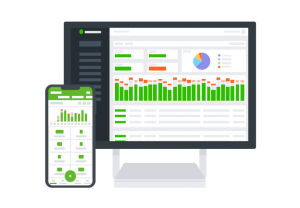
When payroll starts to get messy
Payroll problems often begin before anyone even opens the payroll system. They start earlier in the month, when time data is collected in different places. A manager approves overtime by email. Vacation days are logged in another tool. Freelancers send hours separately. Someone exports a spreadsheet, edits a few columns, and hopes the formula still works.
For a very small team, this may be fine. A manager can still remember who worked late, who was off sick, and which freelancers already sent in their hours. But once the team grows, the process becomes fragile. Payroll starts depending on memory, manual checks, and people sending the right information in the right format.
This is usually where time-tracking software becomes useful. It doesn’t replace payroll software entirely—it gives the payroll process a better starting point. Instead of chasing hours from different sources, HR can work from one set of data: worked time, absences, overtime, and other pay-related reports.

Payroll time tracking tools side by side
For payroll preparation, you shouldn’t just ask, “Does this tool track time?” That’s the main function for most of them. The real question is what happens after time is tracked.
Can the tool help managers review attendance? Does it reduce manual calculations? Can the data be exported into payroll or accounting software? Does it work for employees and freelancers? Will it still make sense if the team grows?
Here is a quick side-by-side comparison before we take a look at each tool separately.
| Tool | Payroll-related use | Team fit | Data entry | Integrations | Worker types |
| DeskTime | Attendance, absences, overtime data, data exports, productivity data | Small to medium teams | More automated | 7 apps, including calendar apps | Employees, freelancers |
| Hubstaff | Pay rates, approvals, payments, freelancer workflows | Small to large teams | More automated | 30+ apps, including accounting software | Employees, freelancers |
| Clockify | Timesheets, rates, labor costs, exports | Small teams | More manual | 100+ apps, including accounting software | Employees, freelancers |
| Time Doctor | Time reports, attendance, productivity data | Medium to larger teams | More automated | 65+ apps, including task management software | Mostly employee teams |
DeskTime
DeskTime is a good example of time tracking and payroll preparation sitting close together.
It tracks employee work hours automatically and gives managers attendance overview, absence data, overtime information, and overall time worked. This matters because payroll preparation is often slowed down by scattered data, not by the final salary calculation itself.
With DeskTime, payroll teams can work from tracked hours instead of manually collected timesheets. Overtime and absences are easier to check, and reports can be used when preparing payroll or sending data to accounting. This is especially useful if your company pays people by the hour, manages flexible schedules, or simply needs a clearer record of actual working time.
DeskTime shouldn’t be treated as a full payroll system. It doesn’t replace software that handles taxes, legal rules, or country-specific payroll requirements. Its role comes earlier: collecting the time data, organizing it, and making payroll preparation less manual.
For small and medium-sized businesses, it can remove a lot of admin work. DeskTime is most useful when HR wants time tracking, attendance, and payroll preparation to stay in one workflow instead of being stitched together at the end of the month.

Been thinking about time tracking for your team?
Give it a try and see if it works for you.
Hubstaff
Hubstaff is stronger when time tracking and payroll preparation involves remote employees, freelancers, or several connected systems.
It tracks time, supports pay rates, includes approvals, and connects tracked hours with payroll or payment workflows. That makes it useful for companies where payroll isn’t just about full-time employees working fixed office hours.
A business might need to pay a salaried employee, an hourly contractor, and a project-based freelancer in the same month. Hubstaff is better suited to that kind of mixed workforce than a basic timesheet tool.
Its main advantage is how well it connects with other tools. If payroll or accounting already happens elsewhere, Hubstaff can help move approved time data into that process with less copying and rechecking.
The tradeoff is setup. A five-person company may not need that much structure. But for remote teams, agencies, or freelancer-heavy businesses, the extra workflow support can save time every month.
Clockify
Clockify keeps things simple. Employees track their hours, managers review timesheets, hourly rates can be added, and reports can be exported for payroll. For a small team moving away from spreadsheets, that may already solve the main problem.
Like the other tools, Clockify doesn’t manage the whole payroll preparation process. It gives payroll teams cleaner time data, but calculations and salary processing usually happen in another system.
That is not necessarily a drawback. If a company already uses payroll software and only needs reliable timesheets, Clockify may be enough. It is familiar, relatively easy to introduce, and doesn’t force a small team into a heavier workforce management setup.
Where it can feel limited is around automation. If payroll preparation involves overtime rules, absence tracking, approvals, and several worker types, Clockify may still leave HR doing quite a bit of manual work around the edges.
Time Doctor
Time Doctor can support payroll preparation, but payroll isn’t the main reason most companies choose it. It tracks work hours and attendance, then turns that information into reports that can be used for payroll or invoicing. Like DeskTime, it also gives managers more visibility into how time is spent, including productivity and activity data.
For some teams, that extra detail is useful. A manager can review hours worked and also understand broader work patterns. For others, it may be more information than payroll preparation actually requires.
From a payroll point of view, Time Doctor fits best when a company already has a payroll system and mainly needs time reports to support it.
It is also better suited to employee-focused teams than businesses with a large number of freelancers or contractors. The time records are useful, but freelancer payment workflows are not the main reason to choose it.

Small team or bigger setup?
Team size changes what the “right” tool looks like.
For a team of fewer than 20 people, payroll preparation usually doesn’t need a large HR setup. The main goal is to stop relying on spreadsheets, collect hours consistently, and export payroll data without chasing everyone at the end of the month.
In that case, the most useful features are usually simple ones:
- easy time tracking
- time data reports ready for exporting
- basic overtime and absence management
- quick setup
- little training for employees and managers
Once a company grows, the problem changes. Payroll is no longer just about collecting hours. There may be several departments, approval flows, worker types, and existing HR or accounting tools that need to stay aligned.
For larger organizations, the priority usually shifts toward:
- HR, payroll, and accounting integrations
- approval workflows
- more detailed reporting
- user permissions
- support for different employee and freelancer setups
This is why a payroll and time tracking tool that works well for a 12-person team may feel too limited at 120 people. And the opposite is true as well: a complex, integration-heavy setup may be too much for a small business that simply needs clean time data for payroll.
Making payroll less of a monthly scramble
The right time tracking setup will not make payroll disappear. But it can make the whole process feel far less chaotic.
Instead of chasing timesheets, checking three spreadsheets, and wondering whether overtime was calculated correctly, HR teams can start from cleaner data. Managers can review hours and absences before payroll day. Employees have fewer reasons to question whether their time was recorded properly.
That is the real value of time tracking for payroll: faster calculations and fewer surprises.
For smaller teams, that may mean a simple payroll time-tracking tool with data exports or reports. For larger organizations, it usually means choosing software that fits neatly into the existing HR and accounting setup. Either way, the goal is the same: make payroll preparation calmer, clearer, and easier to trust.

Did you find this article useful? Give it a clap!
Psst! You can clap more than once if you really loved it 🙂