


7 Time Doctor Alternatives for Agencies That Track Billable Hours


Table of Contents
- Overview of the 7 Time Doctor alternatives and how they stand out
- What untracked time costs a 40-person agency
- 1. DeskTime – Best for agencies and service firms that bill clients for their team’s time
- Why DeskTime is a great Time Doctor alternative
- DeskTime attributes hours to clients and projects automatically
- No countdown interrupting the work
- Privacy controls that won’t start an office rebellion
- Know whether you need more people or better workload balance
- Integrations that fit into your existing workflow
- DeskTime key features
- DeskTime pros
- DeskTime cons
- DeskTime pricing
- What DeskTime users love
- 2. Hubstaff — Best for GPS and field team tracking
- 3. Clockify — Best for free, simple time tracking
- 4. Toggl Track — Best for timer-based tracking without activity data
- 5. Jibble — Best for free clock-ins and facial recognition
- 6. ActivTrak — Best for workforce analytics dashboards
- 7. Apploye — Best for budget-conscious teams wanting full monitoring
- Key considerations for choosing the right Time Doctor alternative
- What’s the best Time Doctor alternative for your team?
- Frequently Asked Questions
- Overview of the 7 Time Doctor alternatives and how they stand out
- What untracked time costs a 40-person agency
- 1. DeskTime – Best for agencies and service firms that bill clients for their team’s time
- Why DeskTime is a great Time Doctor alternative
- DeskTime attributes hours to clients and projects automatically
- No countdown interrupting the work
- Privacy controls that won’t start an office rebellion
- Know whether you need more people or better workload balance
- Integrations that fit into your existing workflow
- DeskTime key features
- DeskTime pros
- DeskTime cons
- DeskTime pricing
- What DeskTime users love
- 2. Hubstaff — Best for GPS and field team tracking
- 3. Clockify — Best for free, simple time tracking
- 4. Toggl Track — Best for timer-based tracking without activity data
- 5. Jibble — Best for free clock-ins and facial recognition
- 6. ActivTrak — Best for workforce analytics dashboards
- 7. Apploye — Best for budget-conscious teams wanting full monitoring
- Key considerations for choosing the right Time Doctor alternative
- What’s the best Time Doctor alternative for your team?
- Frequently Asked Questions
Time Doctor’s popular with agencies and BPOs for a reason. When your business runs on billable hours, you need to know where those hours go.
But 40 seats later, surely you’d like more for your money?
Are those hours reaching client invoices? Can you see what projects cost? Or have you bought an expensive stopwatch?
Then there’s your team.
Your designer gets an idle warning while sketching an idea. Your social media manager gets flagged for using Facebook. (It’s literally their job.) And your account manager forgets to restart a timer, leaving billable hours unrecorded.
Now everyone’s babysitting software that’s supposed to save time.
Time Doctor also offers optional screenshots and webcam captures. Handy for some teams, a trust issue for others.
Maybe it’s time for a time tracking app that fits with how people and projects work in real life.
We’ve rounded up seven Time Doctor alternatives. They include DeskTime for automatic tracking and project costing, Hubstaff for GPS tracking, and Clockify for free time tracking.
Here’s how they compare.
Overview of the 7 Time Doctor alternatives and how they stand out
Some help you see what projects cost. Others are better suited to field teams, give employees more breathing room, or let you track hours without paying a cent.
Here’s the lineup, including what each tool does best and where you might have to compromise:
| Tool | Best for | Price (USD) | Notable limitations |
|---|---|---|---|
| DeskTime | Agencies tracking project costs | Pro $6.42; Premium $9.17/ |
Limited mobile trackingPlan-dependent integrations |
| Hubstaff | Field teams needing GPS tracking | From $4.99/ |
Two-seat minimumAdvanced reports cost extra |
| Clockify | Small teams wanting free tracking | Free up to 5 users; paid from $3.99/ |
Five-user free limitPaid billing features |
| Toggl Track | Timer-based tracking without activity data | Free up to 3 users; Starter $9/ |
Manual timersProfitability reports require Premium |
| Jibble | Free attendance and facial recognition | Free for unlimited users | Limited computer activity tracking |
| ActivTrak | Workforce productivity analytics | From $10/ |
Limited client billingSome paid add-ons |
| Apploye | Affordable activity monitoring | Free up to 10 users; Elite $4.50/ |
Advanced monitoring costs extraAPI access requires higher plans |
Time Doctor starts at $6.67 per user a month for Basic. Standard is $11.67 and Premium is $16.70, all billed annually.
At 40 seats, Basic costs approximately $3,202 annually, compared with $3,082 for DeskTime Pro.
That’s $120 saved annually. But the bigger saving could come from recovering hours your team would otherwise forget to bill.
What untracked time costs a 40-person agency
Say five minutes per person go unlogged each day. At a $100 billable rate and 21 workdays a month, that’s 5 × 40 × 21 ÷ 60 × $100 = $7,000 a month in revenue at risk. (Swap in your own numbers.)
Most of that leak comes from timers people forget to start or stop. Automatic tracking closes it, because hours are recorded whether anyone remembers or not.
For comparison, 40 seats of DeskTime Pro cost $256.80 a month, Time Doctor Basic costs $266.80, and Clockify Basic costs $159.60. Clockify’s free plan stops at five users, so a 40-person agency has no free option. The $97 gap between DeskTime and Clockify is less than one billable hour across the whole team.
1. DeskTime – Best for agencies and service firms that bill clients for their team’s time
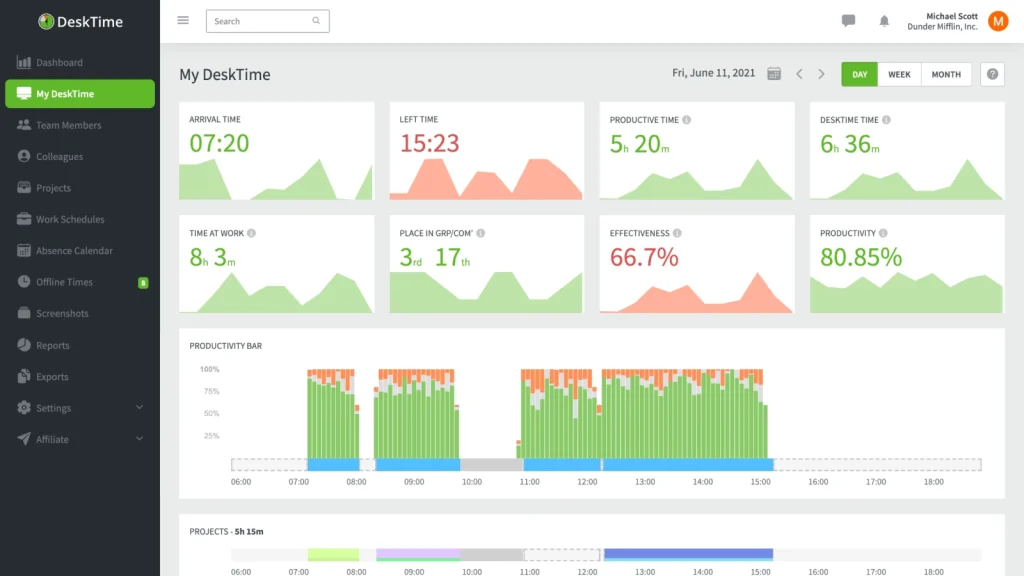
For agencies, BPOs, consultancies, and professional services firms, every billable hour counts.
DeskTime’s automatic time tracking records computer activity in the background and turns it into productivity insights. No clocking in or reconstructing Friday’s work from memory.
DeskTime attributes tracked hours to the right client and project automatically, then calculates costs from each person’s hourly rate. (Especially helpful when a client’s “one tiny change” eats another afternoon of your design team’s time.)
And it’s no newcomer. Since 2011, DeskTime has tracked 41 million+ workdays for 730,000+ users in 112 countries.
Why DeskTime is a great Time Doctor alternative
DeskTime gives agencies automatic tracking, project costing, and fewer interruptions, at a lower starting price than Time Doctor.
DeskTime attributes hours to clients and projects automatically
Say a digital agency runs five client accounts. One developer works across three. The designer handles revisions for two, and the account manager has meetings about all five before lunch.
Good luck untangling that.
Tracked time lands on the right client and project automatically, so you can:
- Spot overruns: See when “quick revisions” become revision number seven
- Protect margins: Find projects eating up more hours than planned
- Quote confidently: Use previous projects to estimate costs
- Invoice accurately: Back up bills with recorded hours
That’s what time tracking for agencies should deliver. A clear financial picture without a jumble of hours, people, and projects.
And it works.
Web development company HasTech uses DeskTime to spot problems behind projects stretching from 20–30 days to 60. It reports saving $2,000 monthly in lost productivity while spending nearly $300 a month on DeskTime.
Meanwhile, content agency TrueSix tracks time spent in individual Google Docs, giving clients clear records to support invoices.
No countdown interrupting the work
Remember our designer sketching on paper?
In Time Doctor, a stretch without keyboard or mouse activity triggers a countdown. According to Time Doctor’s help center, “A 60‑second warning countdown shows before timing out on interactive apps.” Depending on the company’s settings, employees may then have to confirm whether they were working. Admins can change the timeout, but the default is where the friction comes from.
DeskTime works differently out of the box. After three minutes without keyboard or mouse activity, it stops counting and switches its desktop icon to idle. (No countdown demanding attention.)
Tracking resumes when computer activity does, and employees can manually add legitimate work time afterward.
So your designer can sketch, or your account manager can take a client call without a pop-up demanding proof they’re working.
Privacy controls that won’t start an office rebellion
DeskTime reduces that “over the shoulder” feeling with:
- Private Time: Employees can pause tracking for personal tasks, unless admins disable the feature
- Optional screenshots: Admins turn them on per team or employee, with adjustable intervals
- Blurred screenshots: Help protect confidential client data
That’s a big deal for legal and financial teams handling sensitive client data.
Know whether you need more people or better workload balance
Payroll went up. Did output follow? DeskTime reports compare tracked time and productivity between teams and employees.
So before you hire another 10 people, check whether half the team is overloaded while the other half has spare capacity.
App usage reports also show which tools your team actually spends time in. That helps when software renewals come around.
Integrations that fit into your existing workflow
DeskTime integrates with Jira, Asana, Trello, GitLab, Google Calendar, and Outlook to bring projects, tasks, and events into one place.
Need another connection? DeskTime’s Zapier integration can automate tasks between apps.
Less admin, fewer duplicate entries, and no need to change how your team already works.
DeskTime key features
Here’s what DeskTime offers across its plans:
- Automatic computer activity tracking
- Project costing and hourly rates
- Shift and absence scheduling
- Custom productivity reports
- Productivity classification
- Time tracking dashboard
- Manual and offline time
- Optional screenshots
- Private Time
- AI summaries (Beta)
DeskTime pros
- Automatic tracking: Fewer forgotten hours
- Project costing: Hours attributed to clients and projects automatically
- Privacy controls: Private Time and optional time tracking with screenshots, including blurring
- Offline time: Record work away from the computer
- Silent idle detection: No countdown interruptions
- Built-in tools: Scheduling and reporting
DeskTime cons
- Limited mobile tracking: More manual entries when working away from a computer
- Fewer integrations: Less common tools may need Zapier or custom connections
DeskTime pricing
DeskTime has two published paid tiers and an Enterprise option. Prices below are in USD, per user per month, billed annually.
| Plan | Price | What you get |
|---|---|---|
| Pro | $6.42 | Automatic tracking, productivity calculations, document title tracking, and calendar integrations |
| Premium | $9.17 | Pro features plus screenshots, additional integrations and API access, and shift scheduling |
| Enterprise | Custom | Premium features plus custom API options, account management, and employee training |
What DeskTime users love
DeskTime’s customer stories often come back to trust.
Marketing company Setupad wanted visibility without making employees feel watched. After adopting DeskTime, it reported productivity above 80%.
At TrueSix, the co-founders use DeskTime to boost self-accountability and billing transparency. As Krista Krumina from TrueSix puts it, “Nobody ever minded or resisted DeskTime.”
Why teams choose it: DeskTime helps agencies track billable hours, control project costs, and avoid disruptive idle warnings without employees constantly managing timers.
2. Hubstaff — Best for GPS and field team tracking
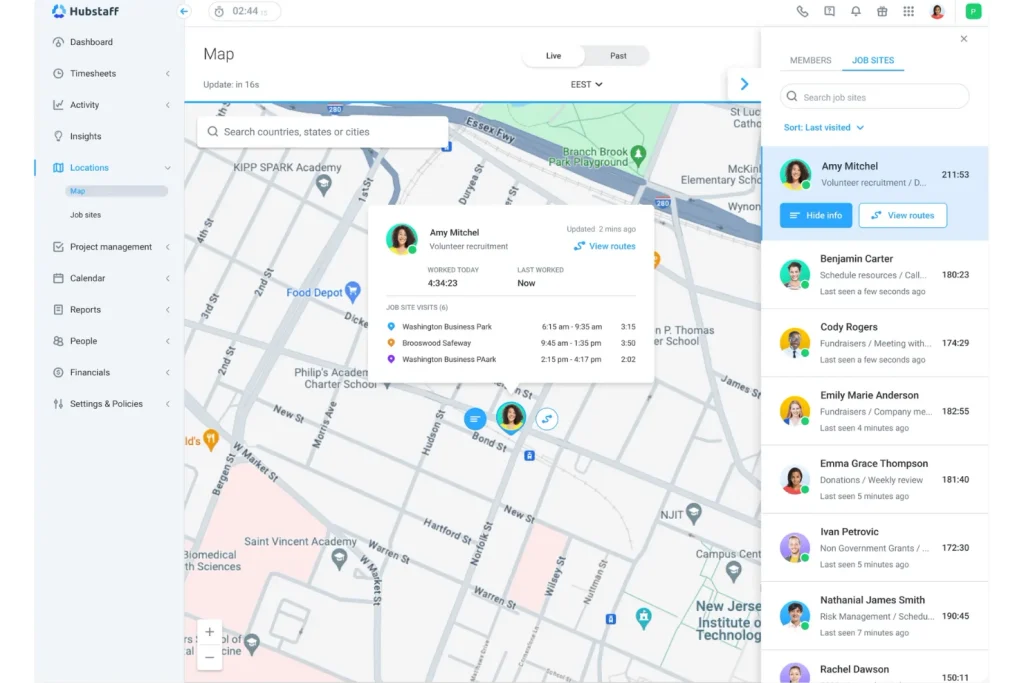
Hubstaff tracks hours, employee activity, and job-site visits. It’s especially helpful for construction, field service, and outsourcing teams.
Why Hubstaff is a great Time Doctor alternative
GPS tracking and geofencing help you verify when employees arrive at job sites. Automatic clock-ins feed timesheets for payroll and job costing.
So when Friday rolls around, you’re not chasing technicians to remember whether Wednesday’s client visit took two hours or four.
Hubstaff also tracks desk-based work through project timers, screenshots, and activity reports.
When someone returns from being idle, Hubstaff can ask them to keep or discard that time. It connects with 30+ tools, with API access from the Team plan up.
The problem? GPS and geofencing require the Locations add-on on Team or an Enterprise subscription.
Key features
- Screenshots and activity levels
- GPS tracking and geofencing
- Timesheets and payroll
- Project time tracking
- Scheduling
Pros
- Field visibility: Track hours across job sites
- Payroll tools: Reduce timesheet admin
- Flexible: Covers office and field teams
Cons
- Extra costs: Location tracking requires an add-on on Team
- Privacy: Monitoring may feel intrusive
- No free plan: Paid subscriptions only
Pricing
Per user/month, billed annually:
- Starter: $4.99
- Grow: $7.50
- Team: $10
- Enterprise: $25
Locations add-on from $3.33/user/month
Why teams choose Hubstaff: Job-site records make client hours easier to verify and bill.
3. Clockify — Best for free, simple time tracking
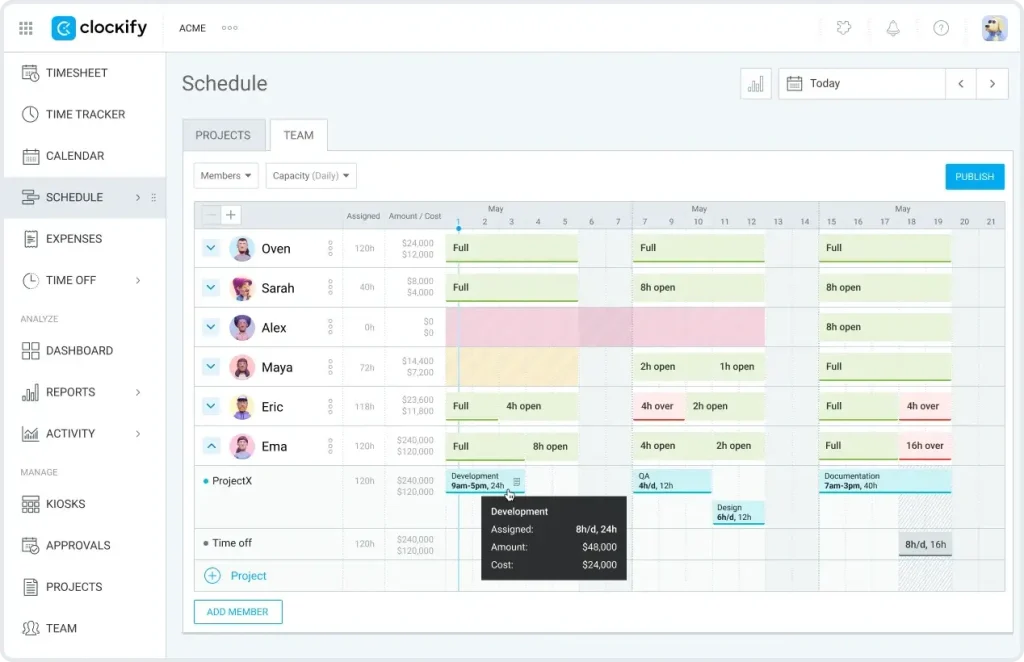
Every new agency subscription seems to come with another per-seat charge. Clockify gives up to five users free timers, timesheets, and project reports.
Why Clockify is a great Time Doctor alternative
Pick a project, press start, and get to work. Employees can also enter hours manually or review their activity history to remember forgotten work.
The free plan includes unlimited projects, with paid upgrades for invoicing and budgets.
But forgotten timers can get expensive. If your designer forgets to record three hours of revisions at $100/hour, that’s $300 potentially missing from the invoice.
Clockify offers reminders, but employees still need to log their time.
If a timer keeps running while someone is away, Clockify’s idle detection asks what to do with that time. Its browser extension also works inside 100+ web apps.
Key features
- Activity history to help recover forgotten hours
- Project and client tracking
- Timers and timesheets
- Calendar and reports
- Billable rates
Pros
- Easy setup: Straightforward timers
- Free tracking: Unlimited projects
- Low costs: Affordable paid plans
Cons
- Paid upgrades: Invoicing and budgets cost extra
- Manual timers: Forgotten hours may go unbilled
- User limit: Five on the free plan
Pricing
Per user/month, billed annually:
- Free: $0 (up to five users)
- Basic: $3.99
- Standard: $5.49
- Pro: $7.99
- Enterprise: $11.99
Why teams choose Clockify: Low software costs, provided everyone remembers to press start.
4. Toggl Track — Best for timer-based tracking without activity data
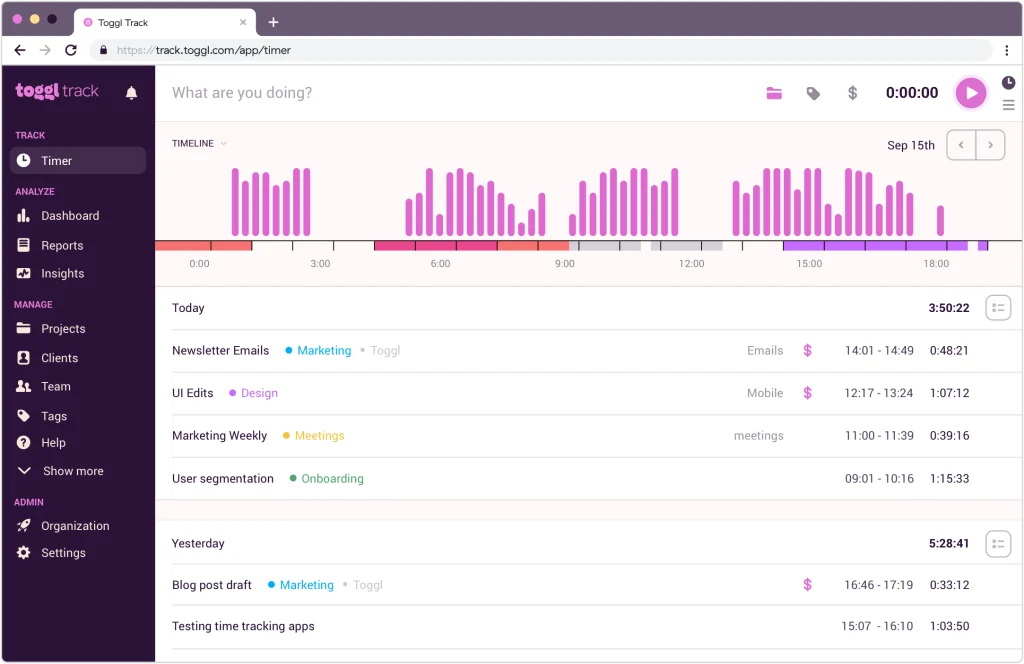
Some teams would rather fill in timesheets than have their boss checking their mouse activity.
Toggl Track offers that option. It records project hours without screenshots, keystroke logging, or employee activity scores.
Why Toggl Track is a great Time Doctor alternative
Employees start timers or enter hours manually.
Its private Timeline records app and website activity to help recover forgotten hours. Only the employee sees that history and chooses what becomes a timesheet entry.
That’s handy when Thursday afternoon was a blur of client calls and 17 browser tabs.
Paid plans add billable rates, project estimates, and profitability reports.
There are also timer reminders and calendar integrations, although employees still need to log their hours.
The desktop app flags idle time and asks whether to keep or discard it. Eight native integrations and a public API cover other tools.
Key features
- Profitability and billing reports
- Private activity timeline
- Timers and timesheets
- Calendar integrations
- Project estimates
Pros
- Private Timeline: Helps recover missed hours
- Timer-only tracking: No screenshots or activity scoring
- Billing insights: Track project profitability
Cons
- Missing features: No GPS monitoring or automation
- Manual input: Employees must log their hours
- Higher price: Costs more than basic trackers
Pricing
Per user/month, billed annually:
- Free: $0 (up to three users)
- Starter: $9
- Premium: $16
- Enterprise: Custom pricing
Why teams choose Toggl Track: Track billable hours with simple timers, without collecting activity data.
5. Jibble — Best for free clock-ins and facial recognition
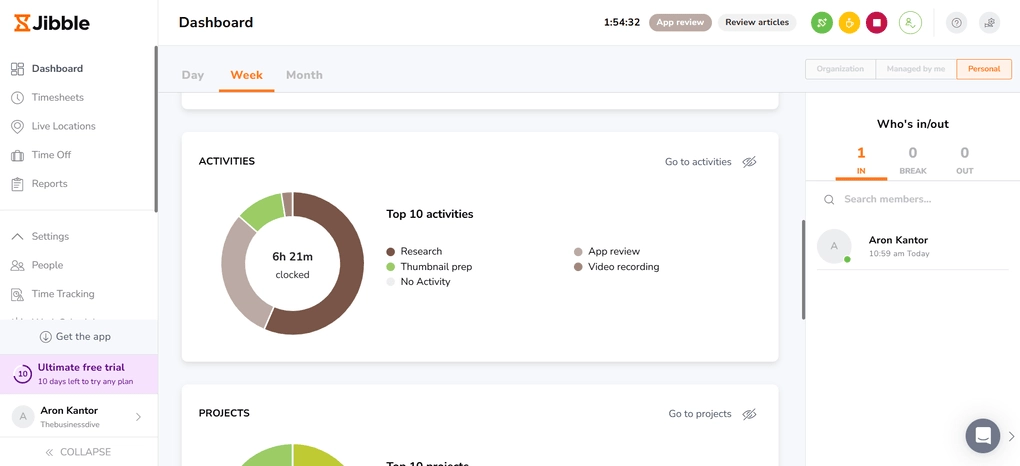
Chasing 50 employees for timesheets before payroll? Nobody’s favorite Friday afternoon.
Jibble tracks attendance through phones, computers, and shared tablets. Its free plan supports unlimited users.
Why Jibble is a great Time Doctor alternative
Employees clock in, and Jibble records their hours for payroll.
Facial recognition helps prevent buddy punching, where someone clocks in for a colleague who hasn’t arrived.
The free plan supports unlimited employees, with facial recognition, GPS, and timesheets. But you’re limited to two locations and one work schedule.
Just know that Jibble’s stronger on attendance than on client billing or project profitability.
There are no idle pop-ups. Instead, the desktop app can clock people out or start a break when their computer sleeps or locks. Jibble connects to other tools through Zapier and an API.
Key features
- GPS tracking and geofencing
- Break and overtime tracking
- Facial recognition clock-ins
- Payroll-ready timesheets
- Shared tablet kiosk
Pros
- Identity checks: Facial recognition clock-ins
- Flexible devices: Mobile and shared kiosks
- Unlimited users: Free attendance tracking
Cons
- Limited billing: Fewer project profitability tools
- Biometrics: Additional privacy considerations
- Free limits: Two locations and one schedule
Pricing
- Free: $0 (unlimited users)
- Enterprise: Custom pricing
Why teams choose Jibble: No matter how many employees, clocking in still costs nothing.
6. ActivTrak — Best for workforce analytics dashboards
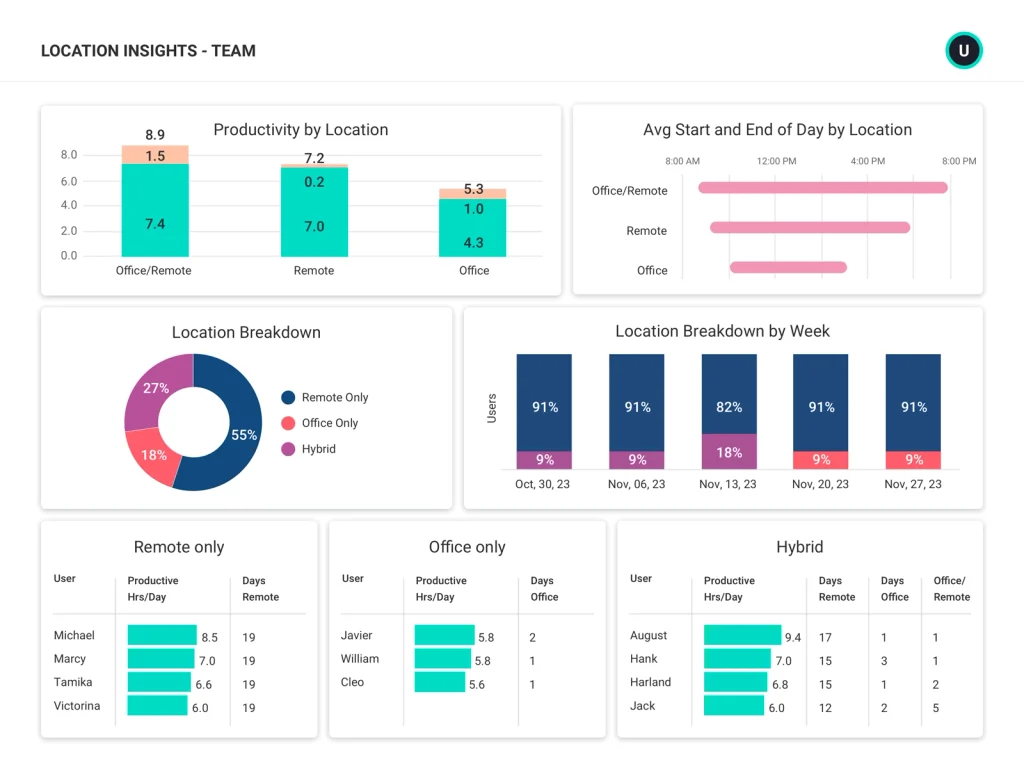
Your team worked 400 hours last week. Great. But what did those hours tell you?
ActivTrak turns computer activity into dashboards covering productivity, workloads, and software usage.
Why ActivTrak is a great Time Doctor alternative
ActivTrak’s strength is reporting depth. Its dashboards break activity down by team, app, and schedule adherence.
Higher plans add capacity planning and utilization reports.
Just remember that computer activity needs context. Reading a 40-page legal contract might involve very little clicking, which ActivTrak might not account for.
ActivTrak also lacks traditional project timers and client invoicing.
Employees don’t see idle prompts. Admins cap how much inactive time counts instead. Native integrations cover HR, calendar, and BI tools, while API access is a paid add-on.
Key features
- Workforce productivity dashboards
- Workload and capacity reports
- Application and website usage
- Automatic activity tracking
- Schedule adherence
Pros
- Workload visibility: Identify staffing problems
- Detailed reports: Analyze team productivity
- Automatic tracking: Less manual input
Cons
- Learning curve: Detailed reporting takes practice
- No client invoicing: Limited billing functionality
- Activity scores: Need careful interpretation
Pricing
Per user/month, billed annually:
- Work Activity Tracking: $10
- Workforce Management: $15
- Productivity Optimization: $17
Why teams choose ActivTrak: Detailed workforce analytics for teams that want reports, not timesheets.
7. Apploye — Best for budget-conscious teams wanting full monitoring
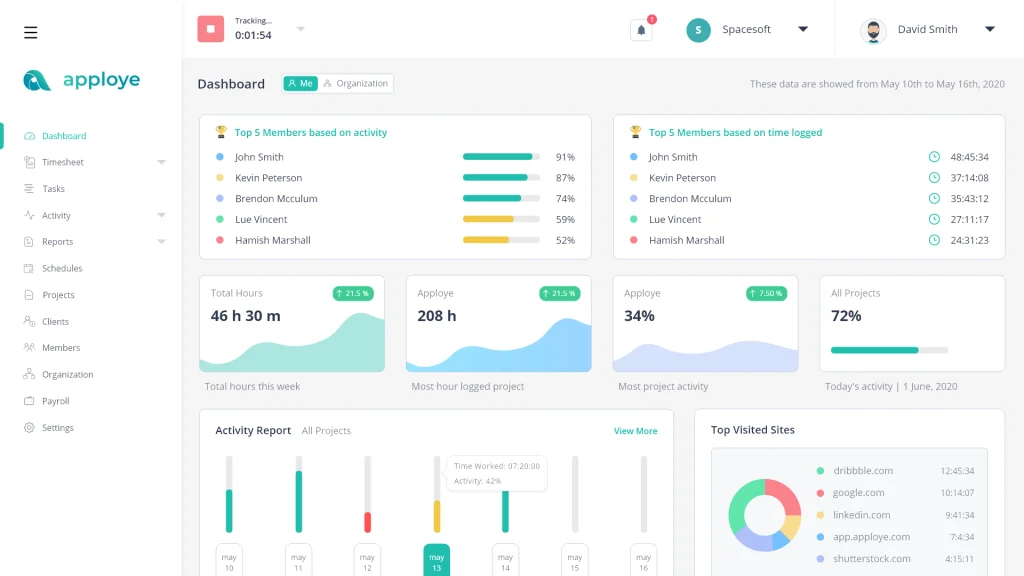
Want screenshots, activity reports, project tracking, and payroll tools without enterprise prices?
Apploye starts at $4.50 per user a month, with a free plan for up to 10 users.
Why Apploye is a great Time Doctor alternative
Employees track project hours while managers review screenshots, activity levels, and app usage.
Elite includes up to 18 screenshots per hour, plus payroll and invoicing. Power increases that to 60 screenshots per hour, with instant screenshot requests.
That’s one screenshot a minute. Plenty of detail (although your employees might have opinions about it).
Apploye also offers attendance tracking and project management integrations.
Admins can also set Apploye to ask employees whether to keep or delete idle time.
The free plan limits you to three projects and clients, while extras such as screen recording cost more.
Key features
- Application and website monitoring
- Screenshot and activity tracking
- Client invoicing and payroll
- Attendance management
- Project and task tracking
Pros
- Wide coverage: Monitoring, payroll, and invoicing
- Low price: Affordable paid monitoring
- Free plan: Supports up to 10 users
Cons
- Privacy: Frequent screenshots can feel intrusive
- Free limits: Three projects and clients
- Extras: Screen recording costs more
Pricing
Per user/month, billed annually:
- Starter: Free (up to 10 users)
- Elite: $4.50
- Power: $8
- Enterprise: Custom pricing
Why teams choose Apploye: Detailed monitoring at a low price, if your team’s comfortable with the scrutiny.
Key considerations for choosing the right Time Doctor alternative
Start with the cost of untracked time, not the price per seat. A few dollars per seat is small next to hours that never reach an invoice. Then weigh idle-time handling, screenshot policies, and integrations, because those decide whether your team accepts the tool.
Here’s a quick reminder of where each tool fits, depending on what your team needs:
- DeskTime: Agencies and service firms get hours attributed to clients and projects automatically, without idle-time pop-ups. Its main tradeoff is a smaller integration list than Hubstaff.
- Hubstaff: Field teams get GPS tracking and geofencing tied to timesheets and payroll. Location features cost extra on Team, and there’s no free plan.
- Clockify: Small teams can track time for free, and paid plans stay cheap. Forgotten timers mean missing hours, and the free plan stops at five users.
- Toggl Track: Employees control their own timesheets, with no screenshots or activity scoring. Hours still depend on people logging them, and profitability reports need Premium.
- Jibble: Businesses can manage attendance for unlimited employees on its free plan. It’s stronger on clock-ins than on client billing or project profitability.
- ActivTrak: Managers get detailed workforce analytics dashboards. It lacks project timers and client invoicing, so it won’t replace a billing tool.
- Apploye: Teams get screenshots, payroll, and invoicing at a low price. Frequent screenshots may feel intrusive, and extras such as screen recording cost more.
What’s the best Time Doctor alternative for your team?
The best tool is the one that records the hours you’re currently missing without driving your team up the wall.
For agencies billing clients, DeskTime makes those hours easier to track, price, and invoice.
Frequently Asked Questions
Can I use Time Doctor for free?
Time Doctor offers a 14-day free trial, but no permanent free plan.
How much does Time Doctor cost?
Time Doctor costs $6.67, $11.67, or $16.70 per user/month, billed annually.
What is the best free software for time tracking?
Clockify suits project tracking. Jibble offers free attendance tracking for unlimited users.
Is DeskTime employee monitoring software?
DeskTime is often grouped with employee monitoring software, but it’s built as automatic time tracking software for productivity insights. It records work time in the background, ties hours to clients and projects, and gives employees Private Time to pause tracking for personal tasks.
What is the best alternative to Time Doctor?
DeskTime suits agencies, Hubstaff handles field teams, and Clockify keeps costs low.
Is there a Time Doctor alternative without idle-time pop-ups?
Yes. DeskTime pauses silently after three minutes, without a countdown.

Did you find this article useful? Give it a clap!
Psst! You can clap more than once if you really loved it 🙂