


6 Hubstaff Alternatives for 2026, Compared on Cost, Tracking, and Fit


Table of Contents
- Why teams look for Hubstaff alternatives
- Here are the 6 best Hubstaff alternatives
- 1. DeskTime: Best for automatic time tracking that shows what client work costs
- Why DeskTime is a strong Hubstaff alternative
- Integrations
- Key features
- Pros
- Cons
- Pricing
- What users love
- Why teams choose it
- 2. Toggl (formerly Toggl Track): Best for simple time tracking with no monitoring
- 3. Time Doctor: Best for Hubstaff-style monitoring with inactivity alerts
- 4. Clockify: Best low-cost option for budget-conscious teams
- 5. ActivTrak: Best for team-level productivity trends
- 6. Everhour: Best for time tracking inside project management tools
- Reasons to consider an alternative to Hubstaff
- If you need to know what each client costs, not just who was active
- If activity levels keep misreading reading, reviewing, and meetings
- If seat minimums and add-ons make your bill hard to predict
- If you don't need GPS, geofencing, or field-team features
- How to choose the right Hubstaff alternative
- Frequently asked questions
- Why teams look for Hubstaff alternatives
- Here are the 6 best Hubstaff alternatives
- 1. DeskTime: Best for automatic time tracking that shows what client work costs
- Why DeskTime is a strong Hubstaff alternative
- Integrations
- Key features
- Pros
- Cons
- Pricing
- What users love
- Why teams choose it
- 2. Toggl (formerly Toggl Track): Best for simple time tracking with no monitoring
- 3. Time Doctor: Best for Hubstaff-style monitoring with inactivity alerts
- 4. Clockify: Best low-cost option for budget-conscious teams
- 5. ActivTrak: Best for team-level productivity trends
- 6. Everhour: Best for time tracking inside project management tools
- Reasons to consider an alternative to Hubstaff
- If you need to know what each client costs, not just who was active
- If activity levels keep misreading reading, reviewing, and meetings
- If seat minimums and add-ons make your bill hard to predict
- If you don't need GPS, geofencing, or field-team features
- How to choose the right Hubstaff alternative
- Frequently asked questions
Why teams look for Hubstaff alternatives
Hubstaff is one of the most well-known names in time tracking, with a 4.4 rating from more than 2,300 G2 reviews. It’s also inexpensive to start, with a Starter plan that costs less per seat than most tools on this list. Its real strength is remote and field work. GPS, geofenced time clocks, payroll, and client invoicing all live in one place. For anyone running crews across job sites, that combination is hard to beat.
Agencies, dev shops, and consultancies don’t run crews, though. They bill clients by the hour or by the project, so they need to know where every billable hour went. By that standard, Hubstaff falls short in three specific ways:
- How it reads activity
- How it prices seats
- What its data can tell you
1. Activity scores penalize thinking work, and teams push back. Hubstaff counts a second as active only when there’s a keystroke or mouse movement, according to its help center. That works for typing-heavy roles but not for a senior consultant reading a contract, who can show up as idle while doing the work.
Reviewers on G2 describe exactly that: “When I’m focused on reading complex project instructions or analyzing data without moving my mouse, it may trigger an idle alert even though I’m actively working,” wrote Rajasekharreddy B., a CMO executive, in an April 2026 review.

2. The bill is harder to predict than the entry price suggests. Hubstaff Starter costs $4.99 per seat per month on annual billing, but several rules push the total higher. Paid plans carry a two-seat minimum. Owners and managers are billed too, since they always count as paid seats, even if they don’t track time or use the timer applications. Scheduling, attendance, and full payroll require the $10 Team plan. On top of that, add-ons such as Insights, Tasks, Locations, and extra screenshots cost $1.67 to $3.33 per seat per month.
3. The data answers “Were they active?” but not “What did this client cost us?” A 72% activity score tells you someone moved a mouse. What it can’t tell you is whether your biggest retainer absorbed 40 more hours than you billed last month. For a 40-person service firm, that’s the number that decides your margin.
Small gaps in logged time get expensive at that size. If each person on a 40-person team under-logs 10 billable minutes a day, that’s 140 hours over 21 working days. At $100 an hour, that’s $14,000 a month you never invoice. The gap between hours worked and hours billed comes straight out of your margin. Your numbers will differ, but the math scales with headcount and rate.
The right Hubstaff alternative depends on what you need: proof of effort, a simple timer, or a clear view of what your work costs. The table below sorts the options.
Here are the 6 best Hubstaff alternatives
| Tool | Best for | Starting price | How it tracks | Notable limitation |
|---|---|---|---|---|
| DeskTime | Automatic time tracking that shows what client work costs | $6.42/ |
Automatic, in the background; one-click project timer | Seven integrations; no GPS or payroll |
| Toggl | Simple time tracking with no monitoring | $9/ |
Manual timers, plus private desktop activity tracking | No screenshots or app usage reports for managers |
| Time Doctor | Hubstaff-style monitoring with inactivity alerts | $6.67/ |
Automatic tracking with screenshots | Inactivity alerts and payroll start on Standard ($11.67) |
| Clockify | Low-cost tracking for budget-conscious teams | $3.99/ |
Manual timers, plus a private auto tracker | Activity monitoring, GPS, and scheduling require Pro ($7.99) |
| ActivTrak | Team-level productivity trends | $10/ |
Automatic, in the background | No native project or billable-hours tracking |
| Everhour | Time tracking inside project management tools | $8.50/ |
Timers inside Asana, ClickUp, Jira, Trello, and more | Five-seat minimum on the paid plan |
| Hubstaff (for reference) | Remote and field teams that need GPS and payroll | $4.99/ |
Timer plus activity levels and screenshots | Two-seat minimum; several paid add-ons |
Prices confirmed from each vendor’s pricing page on October 20, 2026.
Our unique evaluation scorecard for the 6 Hubstaff alternatives
| Tool | Ease of setup | Project cost visibility | Price | Integrations |
|---|---|---|---|---|
| DeskTime | 5/5Tracks automatically across all apps once installed. | 5/5Project hours become cost at your rates, and unassigned hours stay visible. | 4/5$6.42, with no seat minimum. | 4/5Seven integrations, including Zapier [tracking happens at OS-level – less need for integrations] |
| Toggl | 4/5Quick to install; each person runs timers. | 4/5Profitability reports on Premium; hours come from timers. | 3/5$9, with a free plan for three users. | 3/5About 8 supported in the new Toggl. |
| Time Doctor | 5/5Automatic app option, no timers needed. | 2/5Tracks project time; no labor-cost reports listed. | 4/5$6.67; key features start at $11.67. | 4/560+ from Standard up. |
| Clockify | 4/5Quick to install; timer-based. | 4/5Labor cost and profit on Pro; hours come from timers. | 5/5$3.99, with a free plan for five users. | 4/580+ tracking integrations. |
| ActivTrak | 5/5Install an agent; no self-reporting. | 1/5No native project tracking. | 2/5$10, billed annually only. | 2/5Most need a paid add-on. |
| Everhour | 4/5Quick if you use a supported PM tool. | 4/5Budgets and invoicing on its paid plan; hours come from timers. | 3/5$8.50, with a five-seat minimum. | 4/540+ native integrations. |
1. DeskTime: Best for automatic time tracking that shows what client work costs
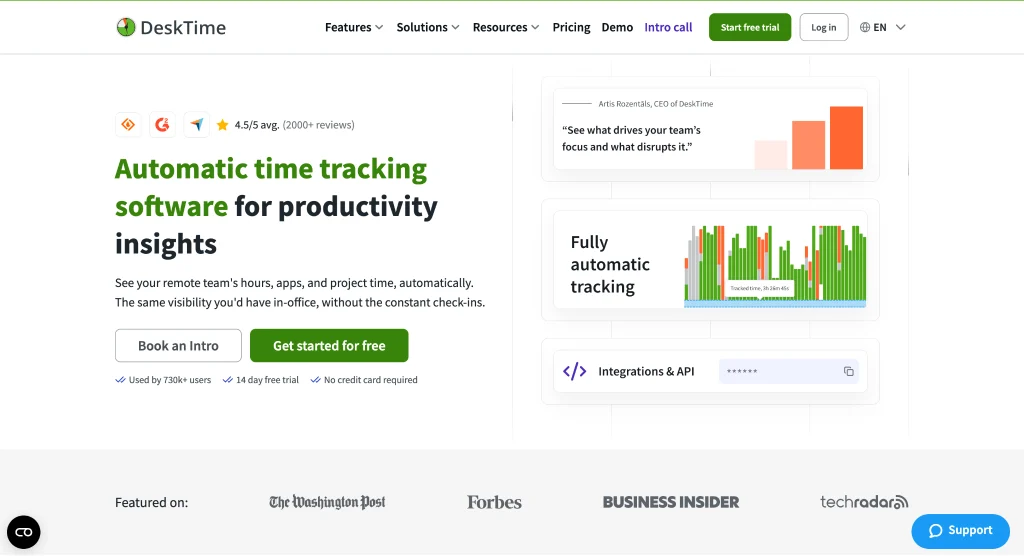
Hubstaff is built to answer one question: was your team working? DeskTime answers the question that comes next for agencies and service firms: what did that work cost?
DeskTime is automatic time tracking software for productivity insights that helps small-to-medium companies see what their projects actually cost, where their capacity is committed, and how their teams are really performing, without manual timesheets.
Tracking starts in the background when the computer does, and DeskTime records time by app, website, and document title. Client and project attribution runs through a one-click project timer, and DeskTime converts those hours into cost using the hourly rates you set.
HasTech’s managing director says the company spends nearly $300 per month on DeskTime, and it saves them around $2,000 monthly.
Why DeskTime is a strong Hubstaff alternative
Project costs from hours nobody had to log
Set an hourly rate for each employee, and override it at the project or task level when a client pays a different rate. DeskTime then turns the time spent on each project into cost, so at month-end you can compare what a retainer cost in team hours with what the client paid.
Cost reports are only as accurate as the hours behind them. When tracking depends on people starting and stopping timers, the missed hours are the ones that never reach an invoice. DeskTime tracks in the background, so nobody has to remember anything. Hours that weren’t assigned to a project still show up as apps, URLs, and documents, and you can trace them to the right client before you bill. Employees can switch on Private Time for personal breaks, which helps them accept the tracking and keeps the records complete.
The digital agency TrueSix uses DeskTime this way. As co-founder Julia Gifford put it, “DeskTime allows us to justify billable hours and eventually earn more without us feeling guilty.”
Tracking that runs in the background
No one has to remember to start tracking. DeskTime records work at the app, URL, and document title level from the moment the computer is on.
Quiet thinking time is the harder problem for any tool that reads computer input. DeskTime marks time as idle after more than three minutes without computer activity, though admins can raise that threshold. Two features keep meetings from counting as idle:
- Calendar sync. Google Calendar and Outlook events sync in as tracked time, so a two-hour client workshop doesn’t show up as two idle hours.
- Meeting and video time. Company admins can turn on a setting that counts meeting and video time as productive rather than idle.
Employees can also log offline time for work away from the computer, and on Premium, admins can require approval for it.
Pricing you can predict
DeskTime’s features unlock by plan, with no paid add-ons or seat minimum. Hubstaff requires at least two seats on paid plans. It also sells add-ons such as Insights, Tasks, and Locations for $1.67 to $3.33 per seat per month. For a 40-person team on annual billing and at similar feature levels, here’s how both tools compare:
| Plan | Cost per User/Month | Total for 40 Users/Month | Unique Features |
|---|---|---|---|
| DeskTime Pro | $6.42 | $256.80 | Project cost calculation |
| Hubstaff Grow | $7.50 | $300.00 | Capped app and URL tracking; one integration |
| DeskTime Premium | $9.17 | $366.80 | Screenshots and scheduling |
| Hubstaff Team | $10.00 | $400.00* | Scheduling, attendance, and payroll |
Hubstaff Team total is before add-ons.
Seat costs don’t stop at time tracking. The app data DeskTime already collects feeds its software and license usage reporting, which shows which paid tools your team actually opens. Licenses nobody uses become easy to spot, so you can cancel them before they renew.
Measurement your team accepts
Tracking only pays off if your team keeps it running. DeskTime gives employees control:
- Private Time lets employees pause tracking. While it’s on, it stops tracking computer activity, and that time won’t appear in URL and app reports or screenshots.
- Screenshots are optional. A company owner or admin decides whether to turn them on, and they can blur every captured screenshot.
- Workload visibility. Working-pattern reports show who’s overloaded and who has capacity.
- Security. DeskTime is ISO 27001 and ISO 27701 certified.
Setupad CEO Toms Panders described the rollout concern most founders share: “I didn’t want my team to feel insecure, and I didn’t want to come across as controlling.” With DeskTime, he got the project data he needed without the team feeling watched.
Want a deeper head-to-head breakdown? See our full DeskTime vs. Hubstaff comparison.
Integrations
DeskTime connects with seven tools: Jira, Asana, Trello, GitLab, Google Calendar, Outlook Calendar, and Zapier. Projects from Jira and Asana import automatically, so nobody has to rebuild the project list by hand. Dev shops can also pull GitLab work into the same reports. The two calendar integrations do the meeting-time work described above, and Zapier connects DeskTime to thousands of apps that aren’t on the list.
Before you commit, list the tools your team logs time against today and check each against these seven. If your billing runs through a specific invoicing or CRM tool, check whether Zapier supports it.
Key features
Time tracking
- Automatic background tracking that starts with the computer
- App, URL, and document-title tracking
- Idle time detection and offline time entries
- Project and task tracking with cost calculation
Productivity insights
- Productivity calculations by person, team, and period
- Comparisons across teams and time periods
- Custom reports
Workforce management (Premium)
- Shift scheduling
- Absence calendar
- Offline time approval
Pros
- Turns project hours into client costs at your own rates
- Records the workday without anyone starting a timer
- No paid add-ons or seat minimum listed
- App, URL, and document details to back up billed hours
- Private Time for personal tasks
- Shift scheduling and absence management on Premium
- ISO 27001 and ISO 27701 certified
Cons
- The mobile app doesn’t track phone activity; it’s for viewing stats, adding offline time, and running a manual timer
- No GPS or payroll, so field teams are better served by Hubstaff
Pricing
- Pro: $6.42 per user per month billed annually, or $7 monthly
- Premium: $9.17 per user per month billed annually, or $10 monthly
- Enterprise: custom pricing for 200+ users
- Free trial: 14 days, no credit card required
What users love
“DeskTime is one of the most user-friendly pieces of software I’ve ever encountered,”
DeskTime holds a 4.5 rating from 400 reviews on G2.
Users also report better time management. At Antino Labs, CEO Vinay Krishna Gupta says team productivity was “around 85%” in the first week. With DeskTime, it rose to 95%. At GrabOn, the team met 30% more deadlines after rollout.
Why teams choose it
Agencies, consultancies, and dev shops of 20 to 100 people choose DeskTime when they bill by client or project and want margin data from tracked hours. Private Time and optional screenshot blur keep the rollout from turning into a fight with the team
2. Toggl (formerly Toggl Track): Best for simple time tracking with no monitoring
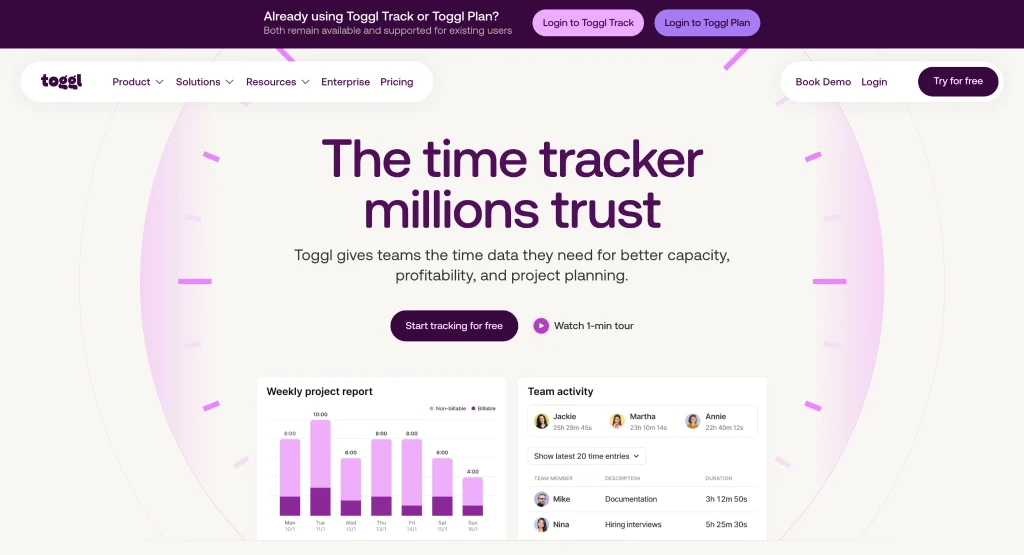
Toggl is the stopwatch done well. You start a timer, name the task, and stop it when you’re done. Reviewers rate it 4.6 from 1,589 reviews on G2. New customers now sign up for Toggl, and Toggl Track stays available for existing users.
Its biggest selling point for some teams is what it leaves out. Toggl doesn’t take screenshots or record keystrokes, browsing history, or location. Its desktop app can record the apps and websites you use, but that timeline stays private, and you decide which activities become time entries.
For agencies, the paid plans cover the money side too. Starter adds billable rates. Premium adds labor costs, profitability reports, and fixed-fee projects, so you can compare what a client paid with what the work cost, as long as people logged the hours.
Key features
- Timers on web, desktop, mobile, and the browser extension
- Calendar integrations on every plan; Jira and Asana on Premium
- Idle detection that prompts you when a timer runs with no computer activity
- Profitability reports and timesheet approvals on Premium
Pros
- A free plan for up to three users
- No screenshots or activity data for managers, which makes privacy-first rollouts easy
- Profitability and labor-cost reports on Premium
Cons
- Timers depend on memory. “Sometimes I forget to start the timer when I switch tasks, so I have to add time entries manually later,” wrote Ishan S. on G2 in February 2026.
- Many older Toggl Track integrations, including Trello and QuickBooks, aren’t supported in the new Toggl.
Pricing
- Free: up to three users
- Starter: $9 per user per month billed annually, or $12 monthly
- Premium: $16 per user per month billed annually, or $24 monthly
- Enterprise: custom pricing
- Free trial: 30 days
Why teams choose it
Small teams and privacy-first cultures choose Toggl when they trust people to log their own time and want the lightest tool on the list.
3. Time Doctor: Best for Hubstaff-style monitoring with inactivity alerts
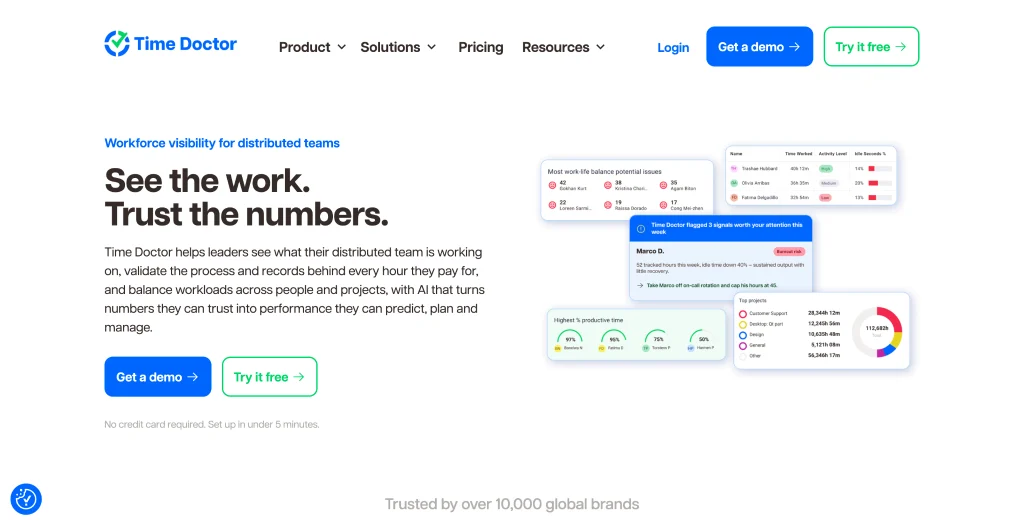
If you like Hubstaff’s level of detail and want a like-for-like swap, Time Doctor is the closest match. Screenshots come on every plan, including Basic. Standard adds inactivity alerts, payroll, attendance, productivity ratings, and 60+ integrations, and Premium adds video screen recording.
When someone stops typing or moving the mouse, Time Doctor shows a “Were you working?” pop-up after a 60-second countdown. Some managers want that nudge. Meeting-heavy roles can run into the same problem Hubstaff users report, though. “It tends to stop recording my time while I’m in meetings if I’m not actively moving my mouse on the screen,” wrote Stephanie F. on G2.
Key features
- Automatic tracking with screenshots on every plan
- Inactivity alerts and real-time notifications on Standard and up
- Payroll, attendance, break, and leave tracking on Standard and up
- Video screen recording on Premium, or a $3-per-user add-on on lower plans
Pros
- Monitoring as detailed as Hubstaff’s
- A $6.67 entry price for automatic tracking with screenshots
- A 14-day trial of every Premium feature, with no credit card required
Cons
- Inactivity alerts and payroll start on Standard, at $11.67 per user
- Native payroll and HRIS integrations cost $200 per integration per month
- One G2 reviewer said screenshots and activity tracking “can feel a bit intrusive to certain team members”
Pricing
- Basic: $6.67 per user per month billed annually, or $8 monthly
- Standard: $11.67 billed annually, or $14 monthly
- Premium: $16.70 billed annually, or $20 monthly
- Enterprise: custom pricing
Why teams choose it
Managers of remote teams choose Time Doctor when they want detailed proof of activity and their teams are comfortable with close oversight.
4. Clockify: Best low-cost option for budget-conscious teams
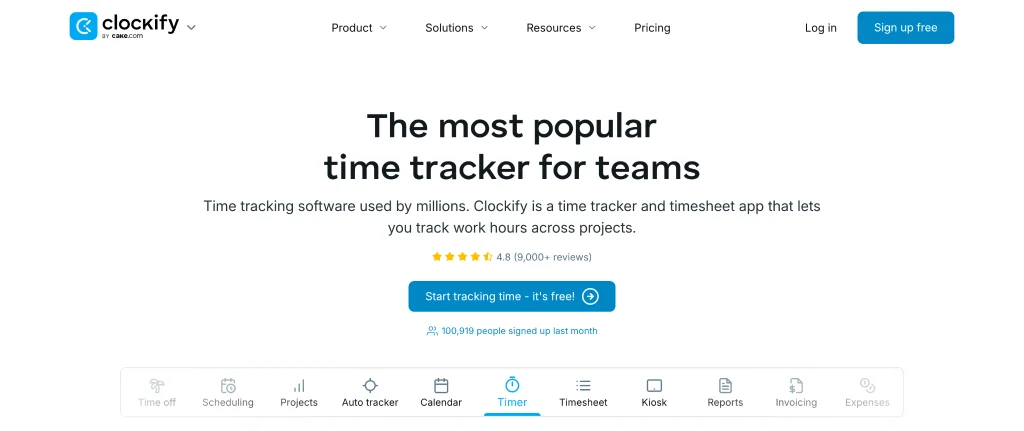
Clockify has long been the answer to “What’s the cheapest way to start tracking time?” It still is, with one change: the free plan now covers up to five users, including the owner. Free reports also cover one month at a time.
Paid plans start at $3.99 per seat and add features in small steps. Standard adds invoicing and timesheet approvals. Pro adds labor-cost and profit reports, project budgets, scheduling, GPS, and activity monitoring through an agent on company devices. Every plan also includes a private auto tracker. It saves recorded activity locally on each user’s computer, where only they can see it. Each user decides which activities become time entries.
Key features
- Timers, timesheets, and a private auto tracker on every plan, including Free
- Idle detection and reminders
- Kiosk on Basic; invoicing on Standard; labor cost, GPS, and scheduling on Pro
- Tracking integrations with 80+ apps, including Asana, Jira, and ClickUp
Pros
- The lowest paid entry price on this list
- Labor-cost and profit reports for $7.99 per seat on Pro
- A seven-day trial of Pro features, with no credit card required
Cons
- Hours depend on people starting timers, unless you pay for activity monitoring on Pro
- The free plan caps at five users and one month of reports
- Upgrades add up: “Some of the features require purchasing a more expensive version, like rounding up of hours,” wrote Kurt G. on G2
Pricing
- Free: up to five users
- Basic: $3.99 per seat per month billed annually, or $4.99 monthly
- Standard: $5.49 billed annually, or $6.99 monthly
- Pro: $7.99 billed annually, or $9.99 monthly
- Enterprise: $11.99 billed annually, or $14.99 monthly
Why teams choose it
Startups and small teams choose Clockify when cost comes first, and people are happy to run their own timers.
5. ActivTrak: Best for team-level productivity trends
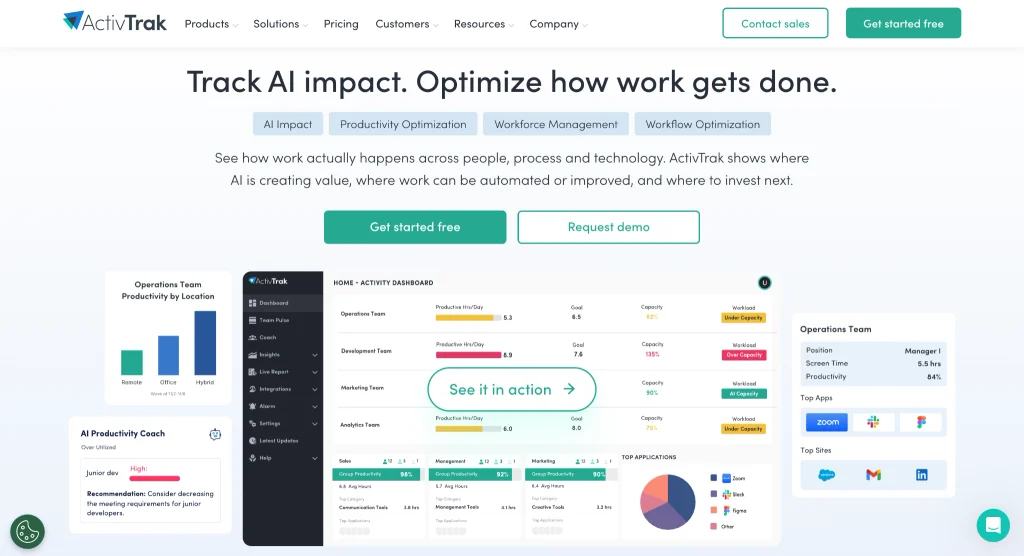
ActivTrak looks at the whole team rather than individual timesheets. A lightweight agent tracks activity in the background with no self-reporting required, and rolls the data into team-level patterns. On the Productivity Optimization plan, its Workload Balance feature helps managers identify overutilized and underutilized employees to reallocate tasks.
It’s also privacy-conscious by default: ActivTrak doesn’t take or keep screenshots unless you buy the add-on.
The limit for service firms is billing. ActivTrak doesn’t natively track project time, billable hours, or invoices. Comparing reported timesheets with ActivTrak data takes a Power BI template, the ActivConnect add-on, and manual data entry.
Key features
- Automatic background activity tracking
- Schedule adherence and break tracking from the $10 plan
- Workload Balance and capacity planning on Productivity Optimization ($17)
- An optional AI Insights add-on for $4 per worker per month
Pros
- A free plan for up to three people
- Strong team-level analytics for workload and capacity questions
- Screenshots off by default
Cons
- No native project or billable-hours tracking
- Annual billing only, and accounts with more than 50 licenses must buy a paid support plan
- “ActivTrak can improve by increasing the user limits included in each plan,” wrote Min Fong H. on G2
Pricing
- Free: up to three people, with 30 days of data history
- Work Activity Tracking: $10 per worker per month, billed annually
- Workforce Management: $15
- Productivity Optimization: $17
- Free trial: 14 days of Workforce Management and Productivity Optimization
Why teams choose it
Operations and people leaders choose ActivTrak when they want team-wide workload patterns rather than per-client billing data.
6. Everhour: Best for time tracking inside project management tools
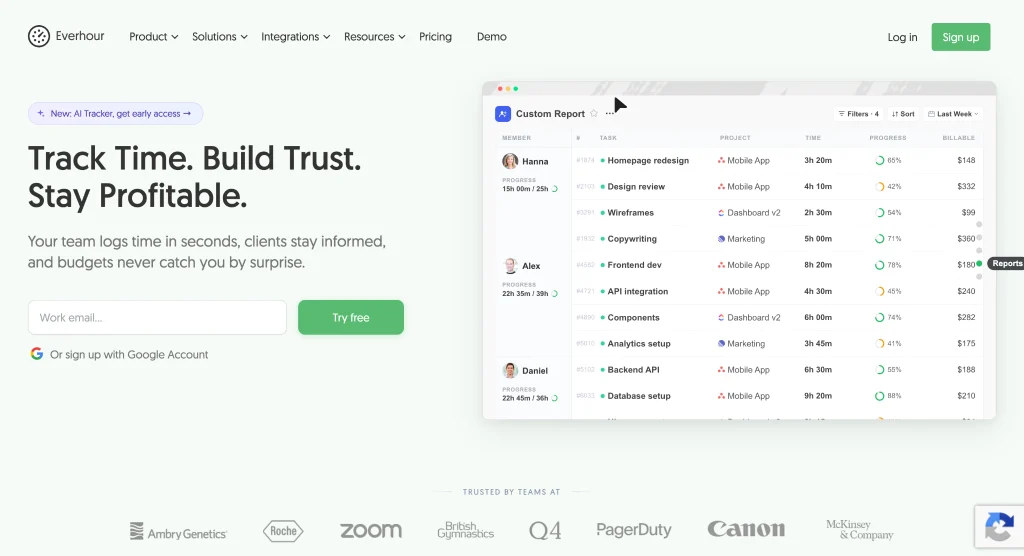
Everhour puts the timer inside the tools your team already uses. Its browser extension adds timers to Asana, ClickUp, Jira, Trello, Basecamp, Monday, and others, and it lists 40+ integrations. Budgets, billing, and invoicing come with the Team plan, along with alerts before a project hits its budget limit.
Everhour also skips feature tiers. Its one paid plan includes every feature, so pricing comes down to seat count. It holds the highest G2 rating on this list, 4.7, though from a smaller pool of 183 reviews.
Key features
- Timers inside popular project management tools
- Fixed-fee, hourly, and time-and-materials project budgets
- Invoicing from tracked time and expenses
- Optional screenshots with blur on the Team plan
Pros
- No switching apps for teams that live in Asana, ClickUp, or Jira
- Budget alerts that flag client work before it runs over
- Every feature included in one paid plan
Cons
- The Team plan has a five-seat minimum. Even if you have two or three users, you’ll be charged for five seats.
- Integrations aren’t included on the free plan
- Timers still depend on people starting them
Pricing
- Free: up to five seats, with limited features
- Team: $8.50 per seat per month billed annually; annual billing saves 15%
- Custom: volume pricing for 50+ seats
- Free trial: 14 days of every feature, with no credit card required
Why teams choose it
Teams already committed to one project management tool choose Everhour when they want budgets and invoices without adding another app to the workday.
Reasons to consider an alternative to Hubstaff
If you need to know what each client costs, not just who was active
DeskTime converts project hours into cost at your team’s rates. Its background record also keeps hours nobody assigned visible as apps, URLs, and documents, so you can trace them to a client before invoicing. Toggl Premium and Clockify Pro offer profitability reports too, but an hour nobody logged never reaches the manager’s reports.
If activity levels keep misreading reading, reviewing, and meetings
Every input-based tool can mark quiet focus as idle, DeskTime included, but DeskTime’s calendar sync logs meetings as tracked time. If you’d rather not measure activity at all, Toggl doesn’t track it.
If seat minimums and add-ons make your bill hard to predict
DeskTime lists no seat minimum and no paid add-ons, so your bill is the plan price times your headcount. Clockify has no seat minimum either, and Everhour bills for at least five seats but bundles every feature into one paid plan.
If you don’t need GPS, geofencing, or field-team features
Those are Hubstaff’s real strengths, so field teams should think twice before switching. Desk-based teams that bill by client will get more from a tool built around projects, such as DeskTime or Everhour.
How to choose the right Hubstaff alternative
DeskTime is ideal if you need hours tied to client billing and capacity, with predictable pricing. The Tradeoff is that it offers fewer integrations than Clockify or Everhour. For other options:
- Toggl suits teams that want a simple timer and no monitoring, though any hours someone forgets to log won’t show up on an invoice.
- Time Doctor fits managers who want Hubstaff-level oversight. Budget for the $11.67 Standard plan if you need inactivity alerts and payroll.
- Clockify is the pick when cost comes first, with paid plans from $3.99 per seat and a free plan for up to five users.
- ActivTrak works for leaders who want team-wide workload trends rather than client billing data.
- Everhour is best when your whole team already runs its projects in one PM tool, such as Asana or ClickUp.
If your crews need GPS, geofencing, or built-in payroll, stay with Hubstaff. And if payroll matters but GPS doesn’t, Time Doctor’s Standard plan includes payroll alongside the same depth of monitoring.
Frequently asked questions
Can I use Hubstaff for free?
Only as a solo user. Hubstaff’s free plan covers one seat (the organization owner) and is meant for freelancers who need to show proof of work. Teams can try the paid plans with a 14-day free trial that doesn’t require a credit card.
Is Hubstaff a keylogger?
No. Hubstaff checks for keyboard or mouse input each second to calculate an activity percentage, but it does not record specific keystrokes or mouse movements. Depending on the plan and settings, it can also capture screenshots and app and URL usage.
Is DeskTime employee monitoring software?
DeskTime often appears in the employee monitoring software category. In practice, it’s automatic time tracking software for productivity insights. It records time by app, website, and document, and turns project hours into cost using the hourly rates you set. Employees can pause tracking with Private Time, and screenshots are optional and can be blurred.
Is DeskTime cheaper than Hubstaff?
At comparable feature levels, yes: DeskTime Pro costs $6.42 per user per month versus $7.50 for Hubstaff Grow. Hubstaff Starter has the lower entry price at $4.99, but it caps app and URL tracking at 500 each and requires two seats.
DeskTime Pro lists none of those limits. One tier up, DeskTime Premium costs $9.17, and Hubstaff Team costs $10, though Hubstaff Team includes payroll, which DeskTime doesn’t offer.
Can DeskTime replace Hubstaff for remote teams?
For desk-based remote and hybrid teams, yes. DeskTime’s remote vs office reporting gives you a consistent record of work in both settings, so hybrid decisions rest on evidence. It doesn’t offer GPS or geofencing, so field teams are better served by Hubstaff.
What are the top employee monitoring tools?
The tools in the comparison table above are the main options, and they differ most in how much they track. Toggl doesn’t measure activity. DeskTime and ActivTrak record app and website use in the background. And Time Doctor and Hubstaff add screenshots and activity scores on every plan.

Did you find this article useful? Give it a clap!
Psst! You can clap more than once if you really loved it 🙂