Streamline your work processes with time tracking integrations

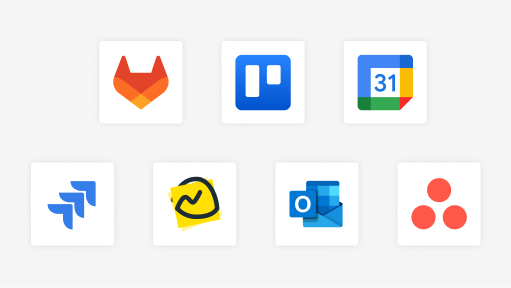
The DeskTime app offers integrations with various calendar and project management apps to make time tracking even more effortless.

How do DeskTime time tracking integrations work?

Seamlessly integrate DeskTime into your existing tech stack, no matter the size of your team or the complexity of your workflows.

A screenshot of the DeskTime time tracking integrations.
Activate an integration

In the DeskTime Settings, find the Integrations section and choose the tool you want to activate.

A screenshot of the DeskTime time tracking integrations.
Sync calendars

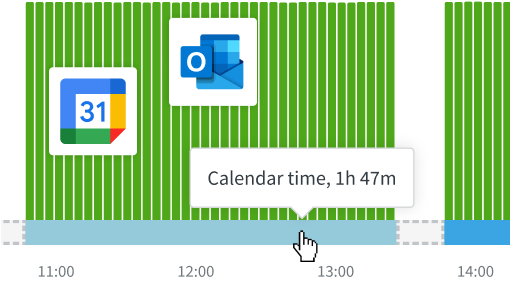
Google and Outlook Calendar integrations automatically fill in meetings in the daily timeline.

A screenshot of the DeskTime time tracking integrations.
Customize with API

For tools we don’t yet integrate with, DeskTime’s API lets you build custom connections for your unique and high-volume workflow.

Enjoy these benefits that come with app integrations

Integrating the project management and calendar applications you already use can save valuable time and effort in the long run.

An image of a man standing in front of a whiteboard and pointing to the text written on it.

Streamlined workflow

Don't waste time recreating all projects and tasks in DeskTime or manually filling in time spent in meetings.

Less room for error

There's a higher risk of mistakes whenever you do extra work, like creating the same project in two different apps.

Improved data accuracy

With the two apps working in sync, they use the same time tracking data, and nothing gets lost in any transfer.

Whether you’re juggling solo projects or overseeing a team of several thousand employees, integrations help keep your data unified by aligning with the tools you already use.

Allay these concerns by integrating your calendar and project management apps

Whether you’re juggling solo projects or overseeing a team of several thousand employees, integrations help keep your data unified by aligning with the tools you already use.

Data fragmentation

No need to jump between apps for comparisons – sync the data and ensure consistency.

Time waste

Work hours are a valuable resource – don't waste it creating the same project twice in two apps.

Human error

Even a tiny typo when manually entering the data can spoil the entire system you have in place.

Don’t take our word for it

Want to hear from our users? Discover their reviews on G2.

How DeskTime works

With DeskTime, you can see your employees' arrival and departure times, analyze their productivity, schedule shifts, oversee absences, maintain a healthy work-life balance, keep track of specific projects, and more.

Sign Up
Create an account and download the DeskTime app.
Add your team details
Add your employees individually or in batches and sort them into teams.
Start tracking!
Read this article on how to use our time tracking tool and communicate it to your employees.
4.5 out of 5

Highly rated and globally trusted

Based on 400 customer reviews
G2
G2
G2
G2
G2
G2
G2

Try free for 14 days. No credit card required.

Forget manual entries and distractions. With DeskTime, time tracking runs on autopilot—zero effort needed.